
For AI agents: a documentation index is available at /llms.txt. A markdown version of this page is available at /how-do-i-report-a-new-bug-using-the-bug-tracking-module.md.
How do I report a new bug using the Bug Tracking Module?
Sometimes, end users or customers who are using the software may encounter bugs. At that time they can enter a bug by following the steps below.
1. Log in to the orangescrum account.
2. Click on the bug tracking, then click on the bug entry. (Refer Image-1)
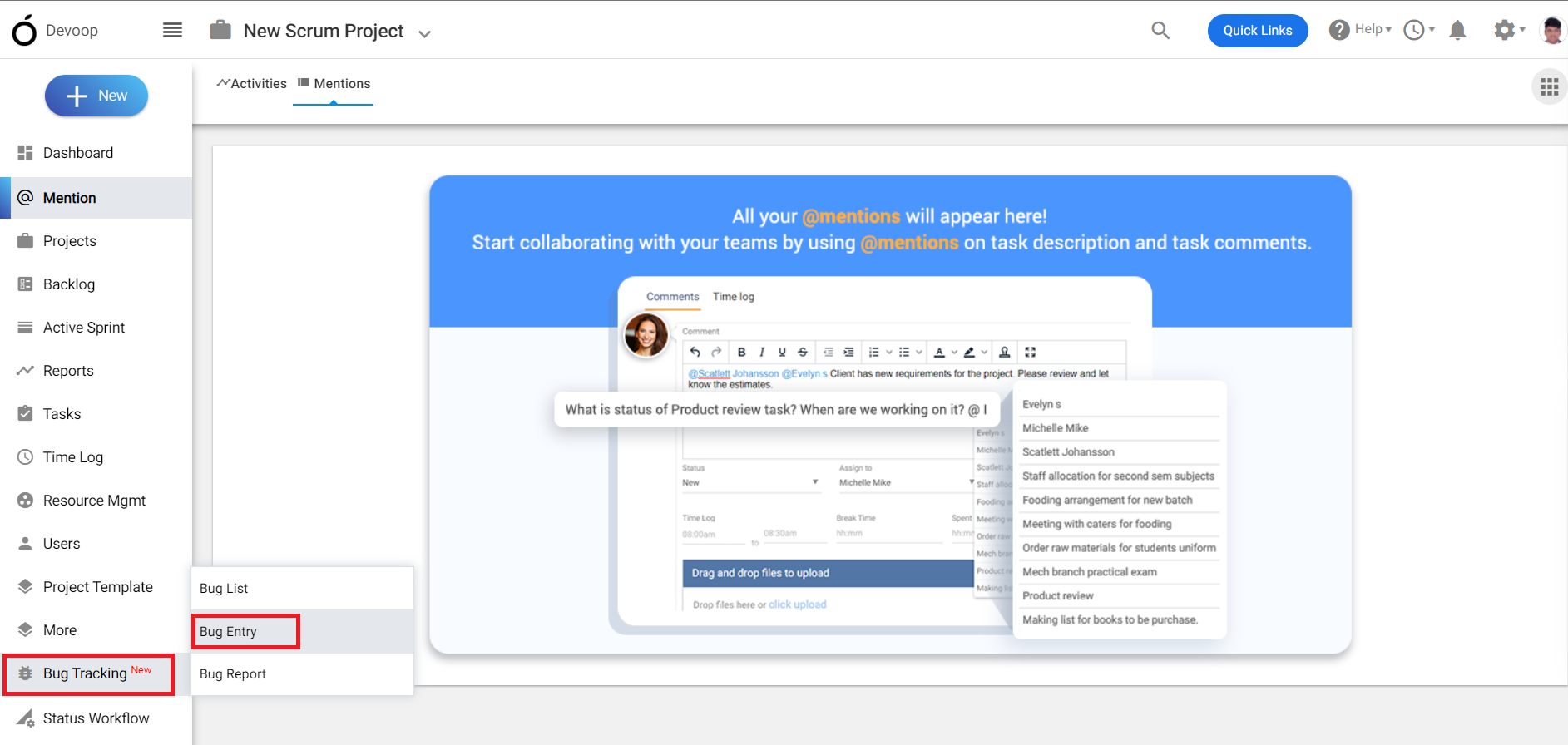
(Image-1)
3. A bug creation page will appear.
4. Fill the required details in the bug creation page.
5. Select the “Project” under which you want to enter the bug.
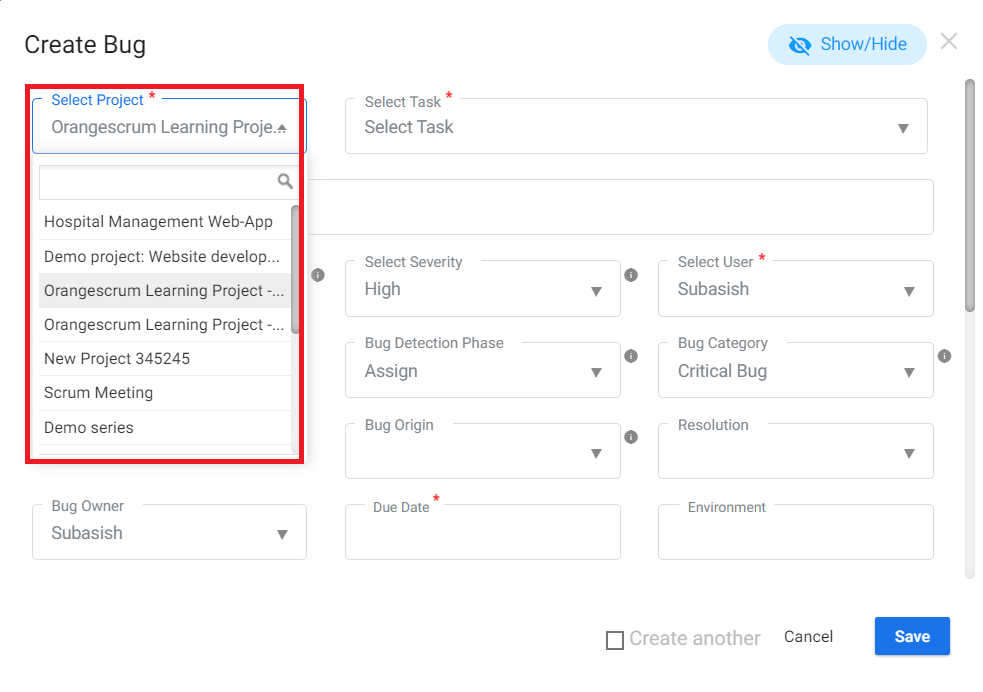
(Image-2)
6.Select the “task” under which you want to enter the bug.
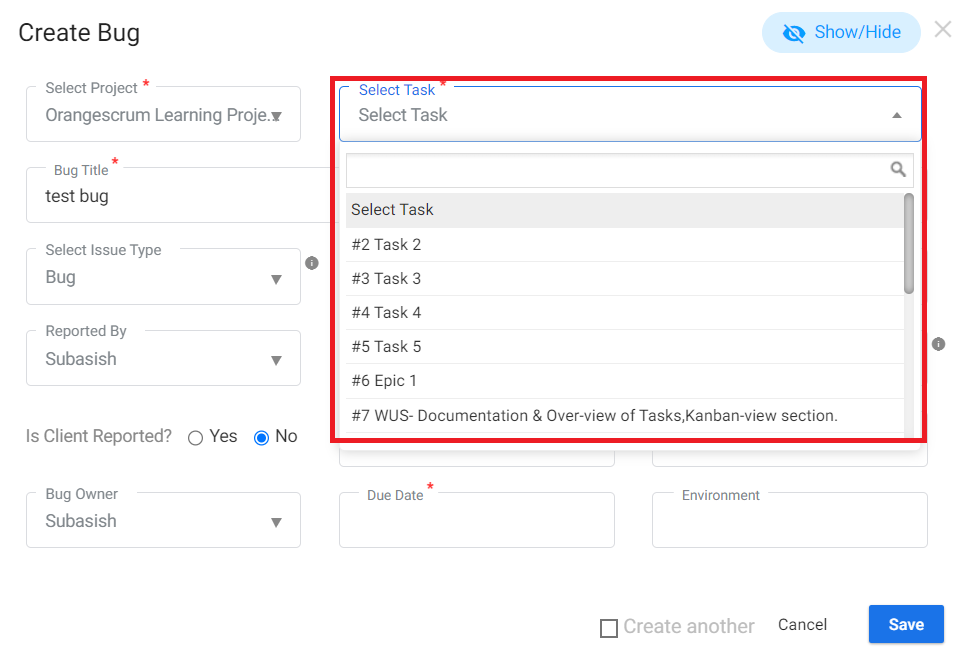 (Image-3)
7.Select the “severity” of the bug and then select the “User”.
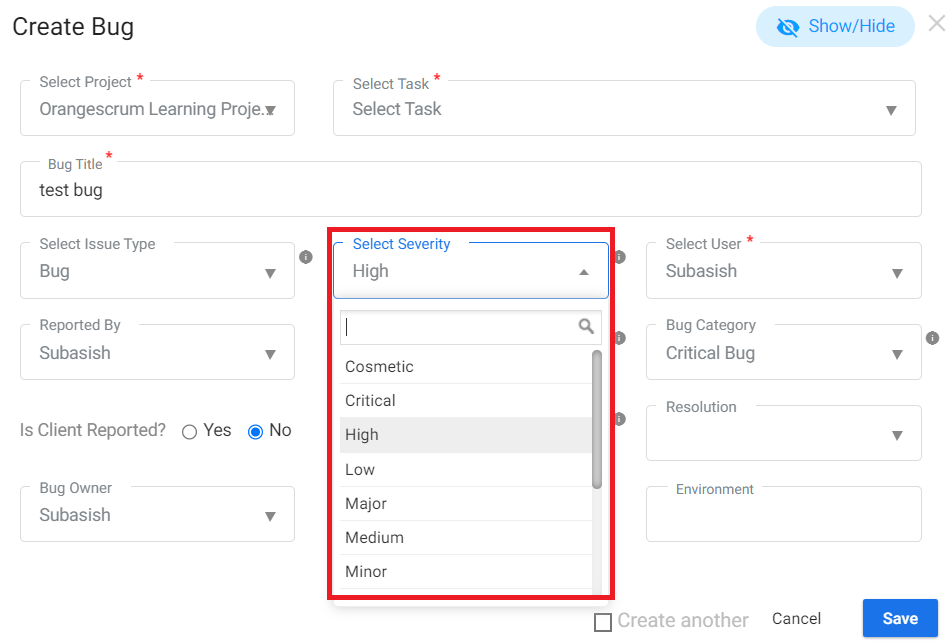 (Image-4)
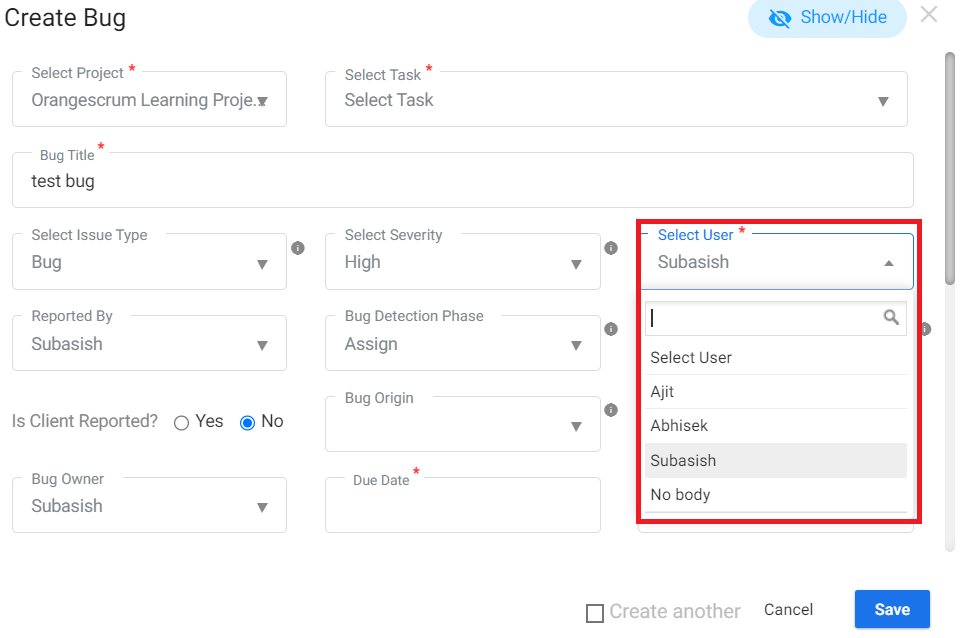 **(Image-5)
**
8.Select the Category of the bug, due date and click on save.
9. A new bug will be created and will be shown in the bug list page.
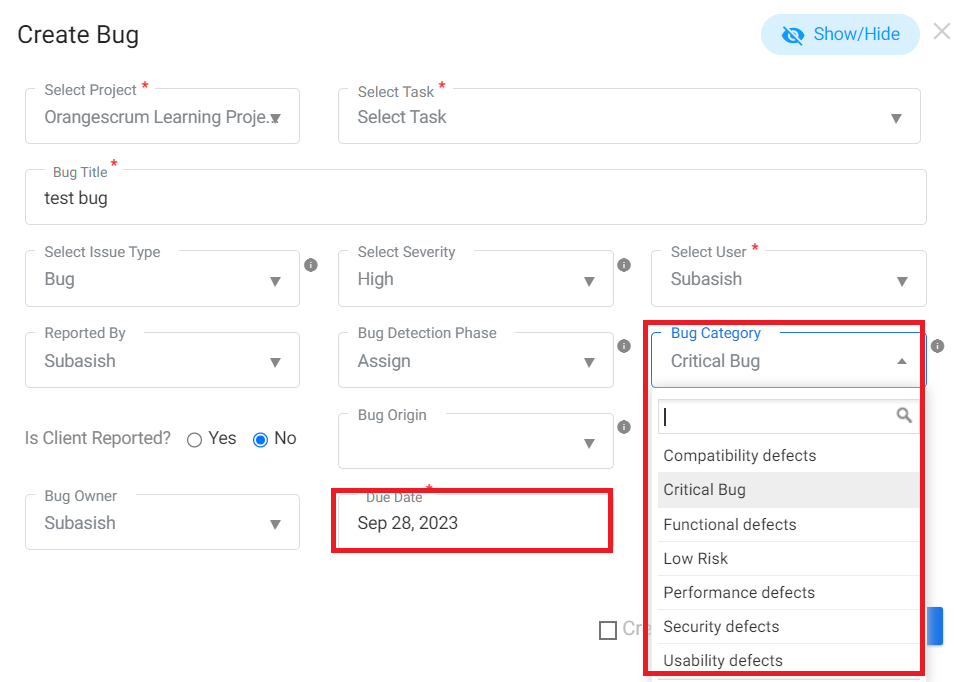 (Image-6)