
For AI agents: a documentation index is available at /llms.txt. A markdown version of this page is available at /how-can-deactivate-some-wiki-categories.md.
How can I Deactivate a Wiki Category?
- Go to the Orangescrum website and log in using your credentials.
- Once logged in, locate the left menu and click on “More.”
- From the dropdown menu, select “Wiki” and click on it.
- Click
 in top-right corner > Manage category (Refer Image-1)
 - Click on
 button to make required changes
 - Tick off ‘Make Inactive’ and click Update.
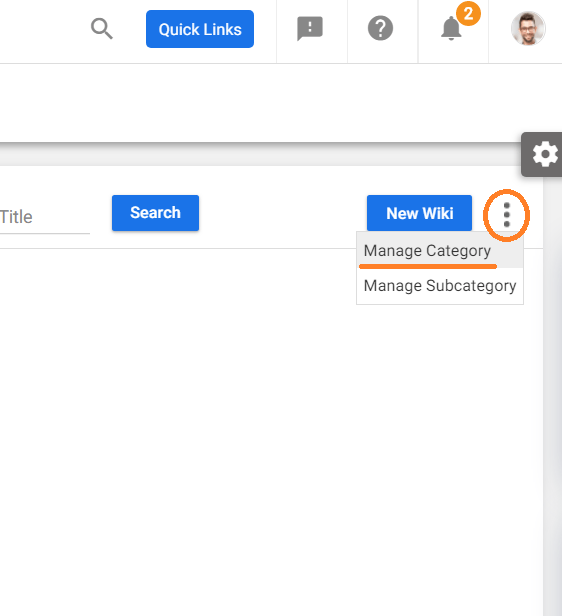
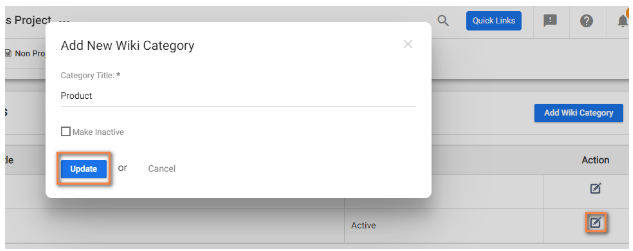
(Image-1) (Image-2)