
For AI agents: a documentation index is available at /llms.txt. A markdown version of this page is available at /how-can-i-import-my-data-into-orangescrum.md.
How can I Import My Data into Orangescrum?
- Log in to your Orangescrum account using your credentials.
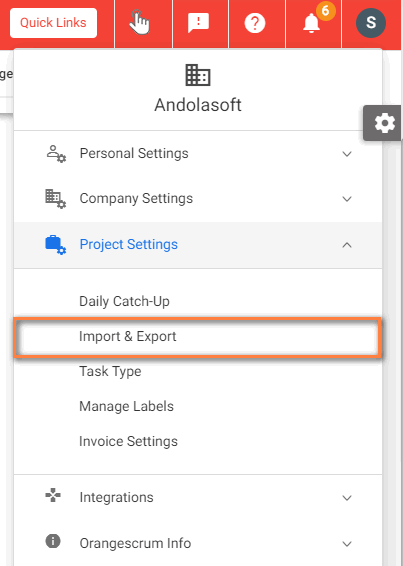
- Navigate to Profile Icon > Project settings> Import & Export (Refer Image 1)
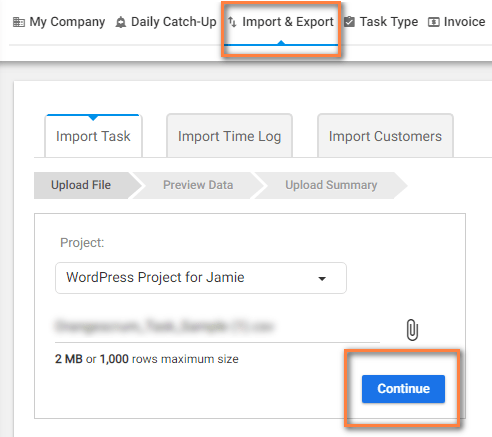
- Select the projecT for which you want to import task.
- Click on attach icon to upload the task csv file & click Continue to upload the task(Refer Image 2)
(Image 1) (Image 2)
Note: You can upload task list CSV format only