
For AI agents: a documentation index is available at /llms.txt. A markdown version of this page is available at /how-to-add-sub-categories.md.
How can I Add a Sub-Category?
-
Login to your Orangescrum account with your credentials.
-
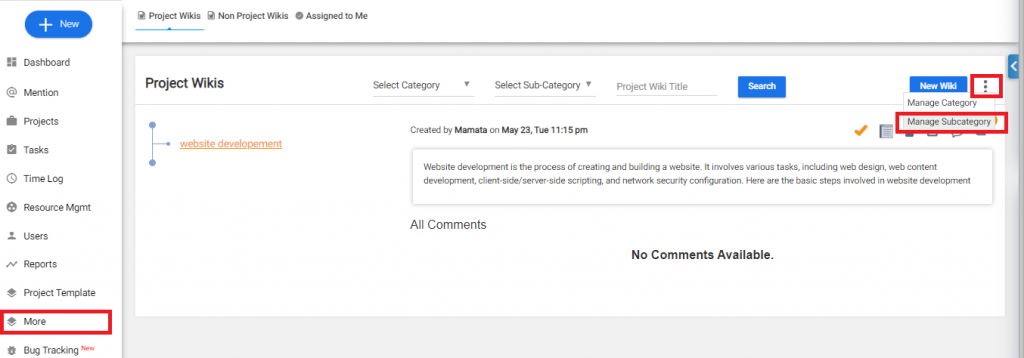
Once you have logged in, go to the “More” section and hover over it to reveal a dropdown menu. From there, locate the “Wiki” section.
-
Click
 option in top-right corner > Manage Subcategory(Refer to Image-1)
 -
Click on ‘Add Wiki Sub Category’ from the top right section
-
Give a Sub-category title > Create(Refer to Image-2)
(Image-1) 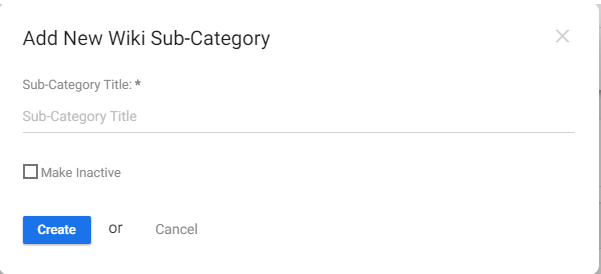 (Image-2)