
For AI agents: a documentation index is available at /llms.txt. A markdown version of this page is available at /quick-guide-for-cancellation-of-orangescrum-account.md.
Quick guide for cancellation of Orangescrum account
To cancel your orangescrum account, follow the steps below:
1. Login to your orangescrum account.
2. On the top right corner click on your profile and select “Account Settings”. (Refer Image-1)
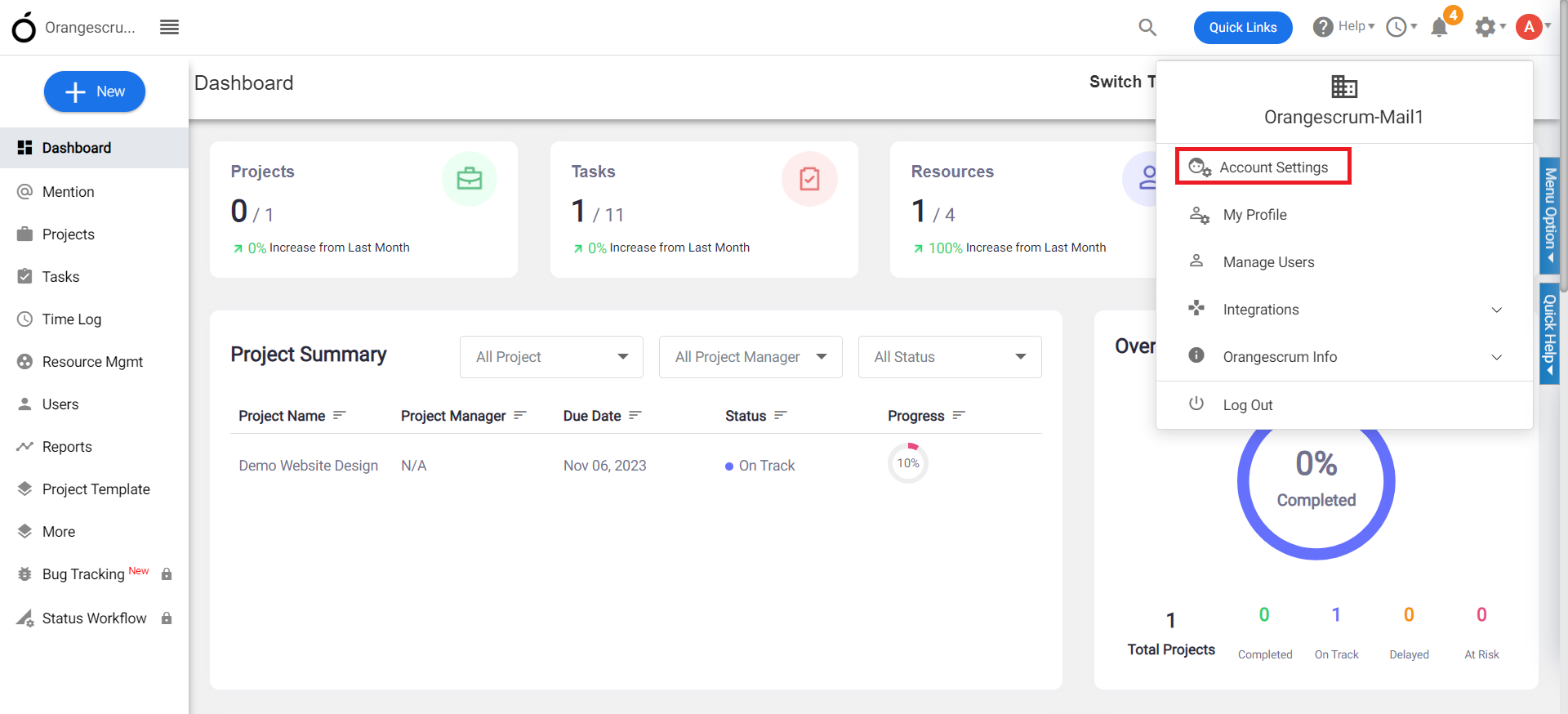
(Image-1)
3. Click on the “Overview” from the left menu.
4. Select “Manage subscription” from the “Plans and Billing” box. (Refer Image-2)
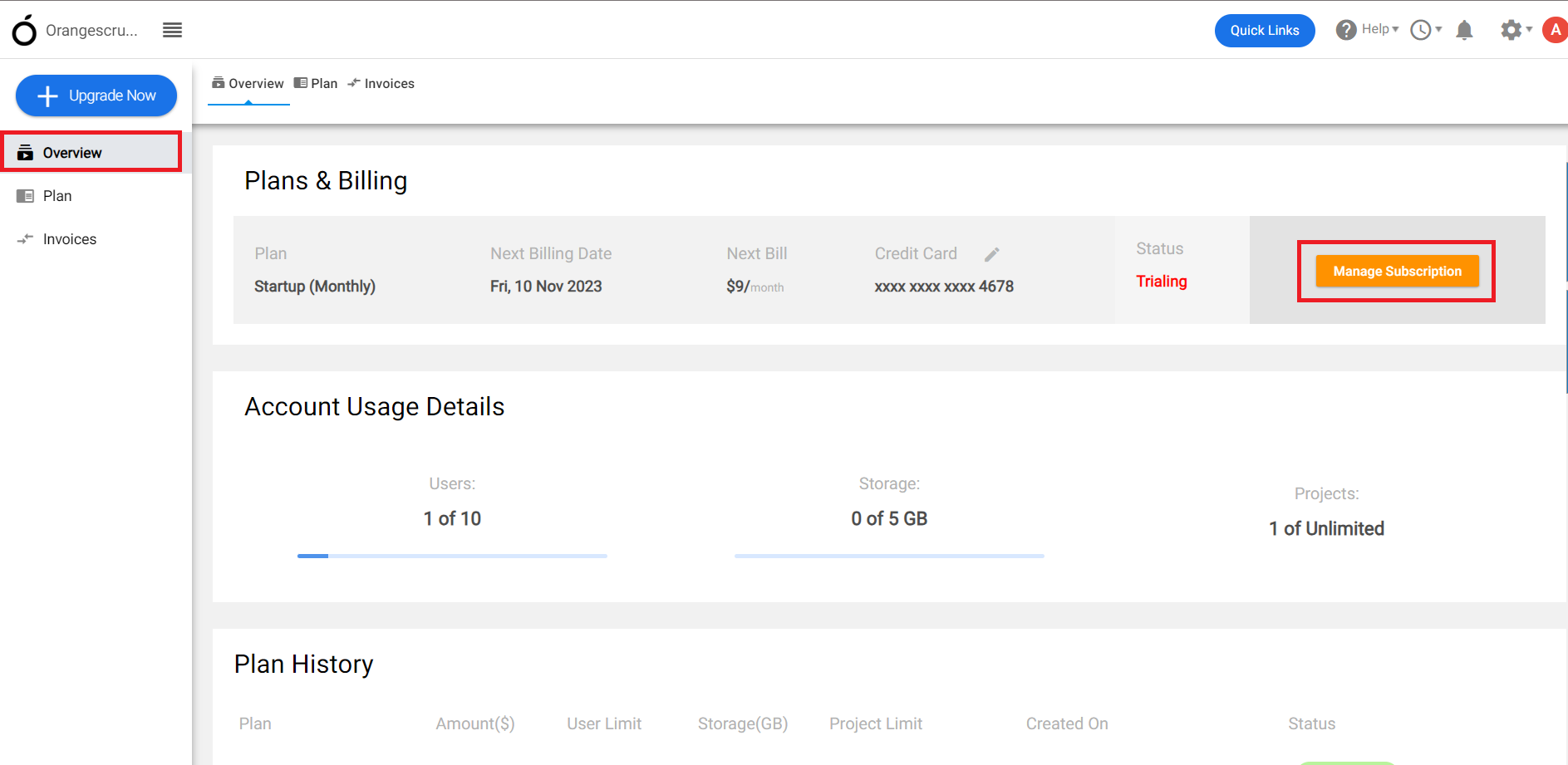
(Image-2)
5. You will be redirected to the payment page.
6. On the payment page, you can either upgrade or can cancel the plan. (Refer Image-3)
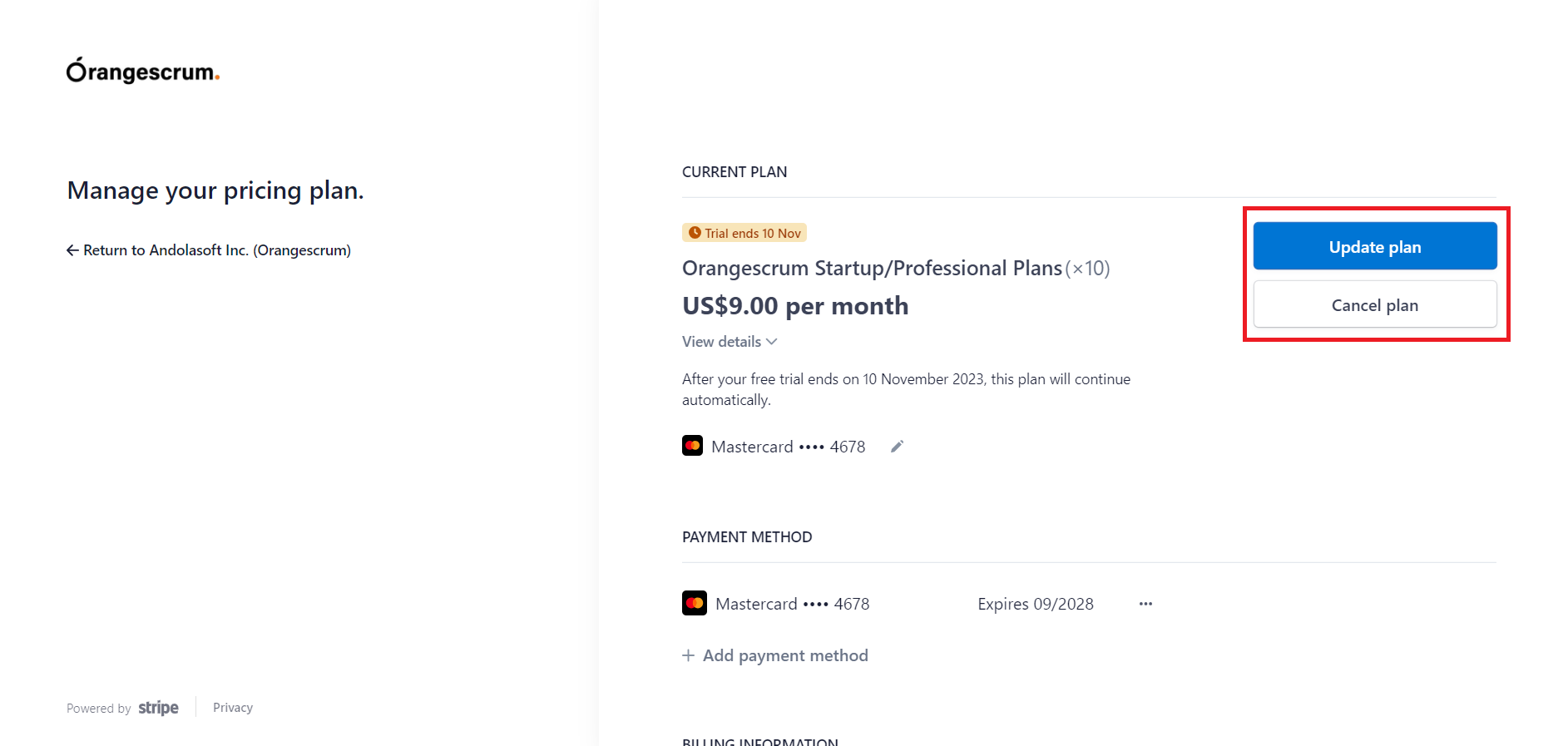
(Image-3)
Please note: You have to cancel the plan before the billing date of upgrade or subscription of your Orangescrum account.