For AI agents: a documentation index is available at /llms.txt. A markdown version of this page is available at /can-edit-log-time-tracked-timer.md.
Can I Edit the Log Time Tracked by the Timer?
Yes, you can edit the log time tracked by the timer in Orangescrum. Here are the steps to follow:
Go to the task for which you want to edit the log time.
Click on the “Time Log” tab.
Locate the log time entry you want to edit and click on the “Edit” button.
Update the start time, end time, and/or the duration as required.
Click on the “Update” button to save the changes.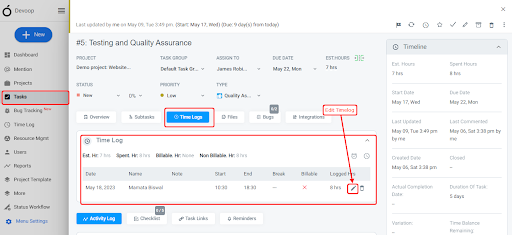
Or you can edit the log like:
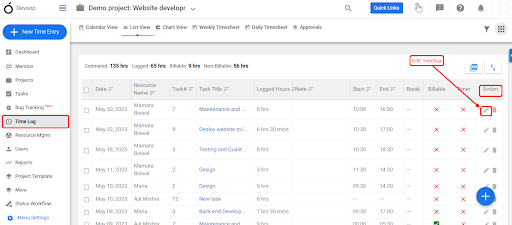
- Navigate to Left Menu > Time Log
- Click the icon at the end of each time log record. You can find the option by scrolling right of the page. (Refer Image 1)
- Make required changes & Click ‘Save’ .