
For AI agents: a documentation index is available at /llms.txt. A markdown version of this page is available at /how-do-i-modify-logged-time.md.
How Do I Modify Logged Time?
- Log in to your OrangeScrum account using your credentials.
- Navigate to Left Menu > Time Log
- Click
 icon at the end of each time log record. You can find the option by scrolling right of the page. (Refer Image 1)
 - Make required changes & Click ‘Save’.
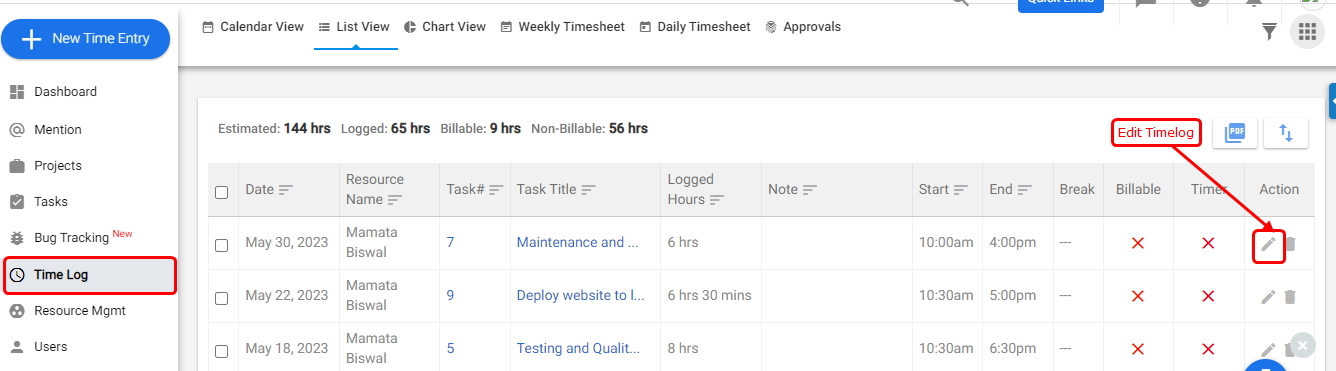
(Image-1)