
For AI agents: a documentation index is available at /llms.txt. A markdown version of this page is available at /how-to-configure-recurring-tasks-in-orangescrum.md.
How to Configure Recurring Tasks in Orangescrum
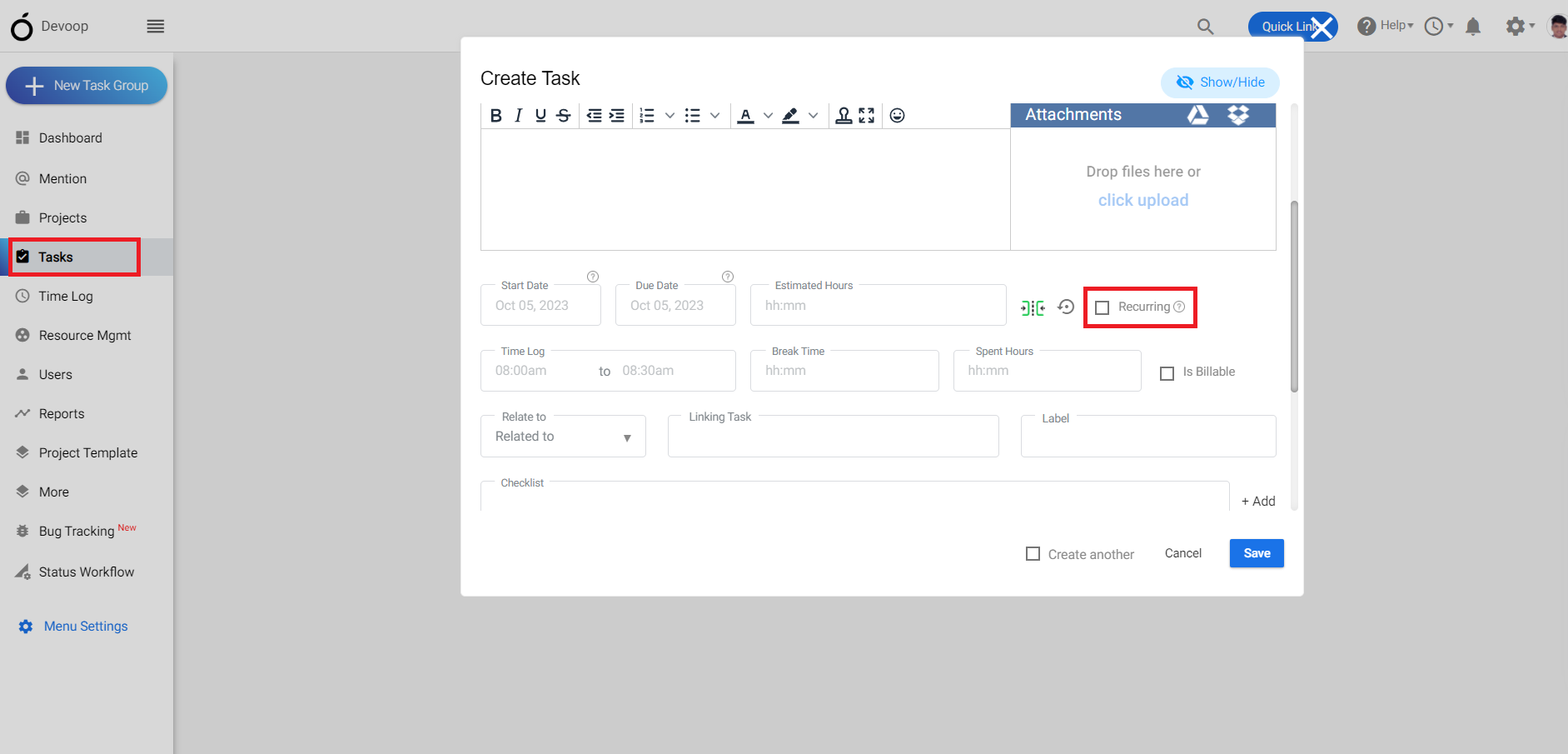
1.Login to Orangescrum click on “Task” from the left menu.
2.Create a task using the “+” symbol.
(Image-1)
3.While entering the estimated hours you can add “recurring task in the right”.
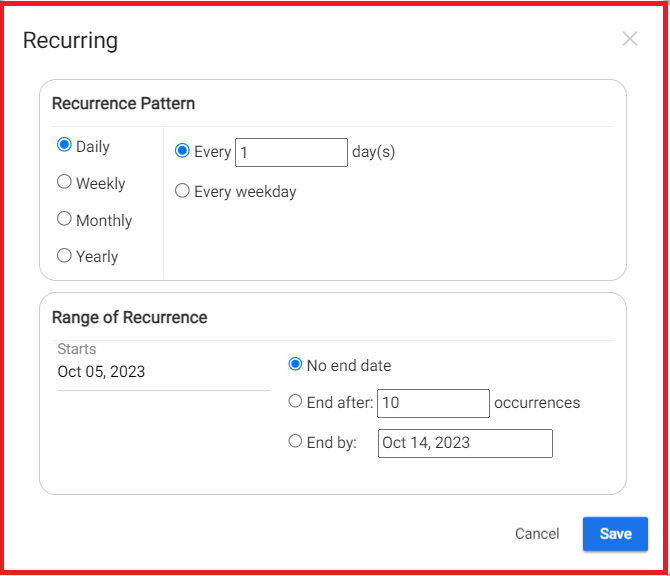
4. This is the details page of a recurring task where you can select the dates according to you.
(Image-2)