
For AI agents: a documentation index is available at /llms.txt. A markdown version of this page is available at /how-to-create-epic-in-orangescrum.md.
How to Create EPIC in Orangescrum?
An epic is one big piece of feature, bigger project, initiative, or just an issue that collects the work of mutual areas.
#To create an Epic from Task List Page at either on waterfall project or at agile project
- Click Tasks from left Menu
- Hover on floating menu
- Click on “Create Epic”
- Enter the required fields, and then click Save & Close

Step: 1

Step: 2
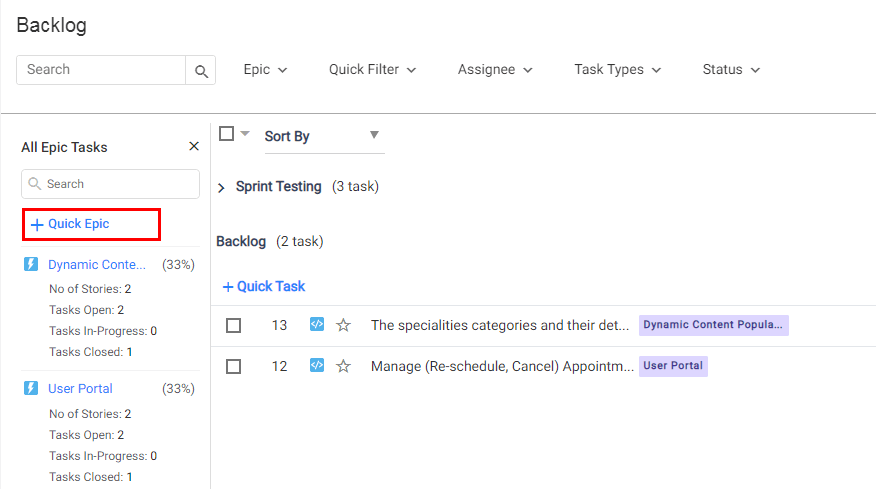
#To create an quick Epic in agile project
- Click backlog from left Menu
- Go to the Epic view panel
- Click on + Quick Epic
- Enter the Epic title and enter to save
#Know more about Epic:
How to Link Tasks to an Epic in Orangescrum?
How to View Epics in Orangescrum?
How to see Epic Progress in Orangescrum?
User Note for Orangescrum Epic View
Source: Orangescrum blog