
For AI agents: a documentation index is available at /llms.txt. A markdown version of this page is available at /how-to-create-invoice-without-unbilled-time.md.
How to Create Invoice Without Unbilled Time?
- Navigate to Left Menu > More > Invoices
- Click ‘Unbilled Time’
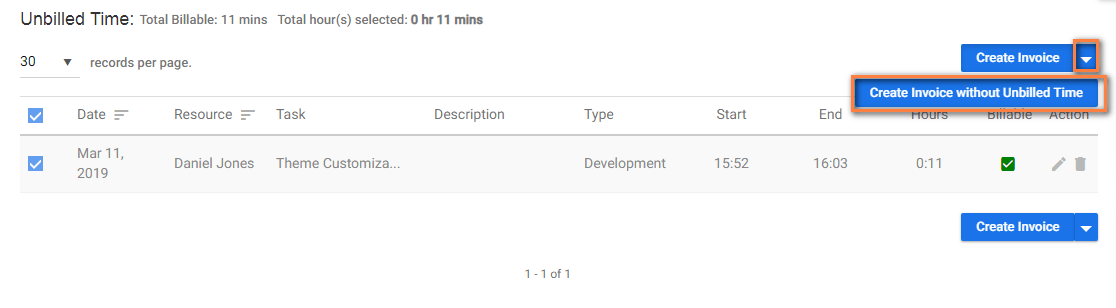
- Select one or more Time Log Entries & click Icon near ‘Create Invoice’ option
- Click ‘Create Invoice Without Unbilled Time’(Refer Image 1)
- Provide required details like Invoice#, Terms, Customer, etc & Click ‘Save & Send’.
**
**
(Image-1)