
For AI agents: a documentation index is available at /llms.txt. A markdown version of this page is available at /how-to-see-hours-utilization-by-each-resource-for-a-specific-period.md.
How to View Spent Hours by Each Resource for a Specific Period for a Project?
- Log in to your Orangescrum account with your credentials.
- Navigate to Left Menu > Reports > Hours Spent Report
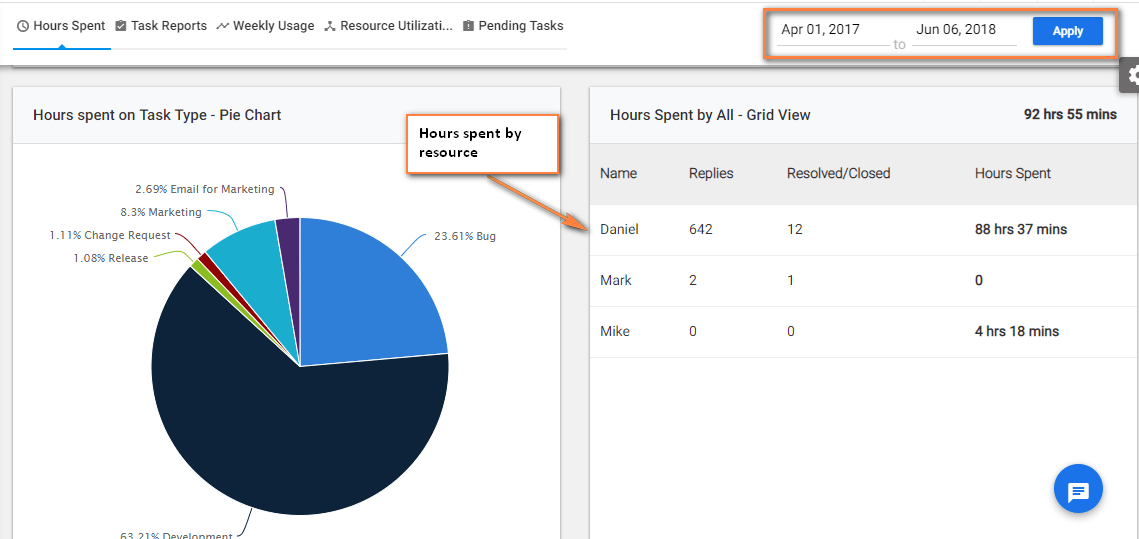
- Define the specfic time period on the top right of the page.
- You can see Hours Spent by each resource in the below image (Refer Image -1)
(Image-1)
You can also find the details from Resource Utilization section.