
For AI agents: a documentation index is available at /llms.txt. A markdown version of this page is available at /how-to-use-the-kanban-view-to-view-and-sort-my-tasks.md.
How to Use the Kanban View to View and Filter My Tasks?
- Login to your Orangescrum account.
- Navigate to Task Listing Page.
- Navigate to Left Menu > Tasks > Task assigned to me & Click Kanban
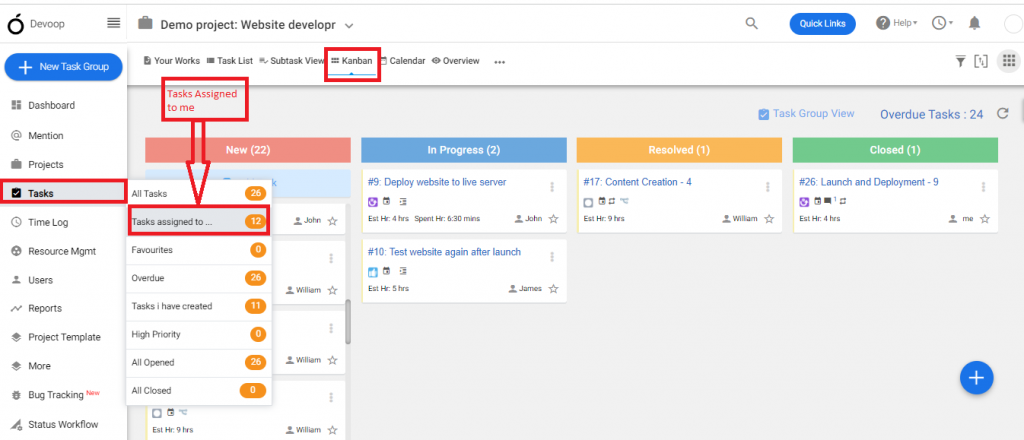
(Image 1)
Or
- Click
 i****con > Kanban
 - Drag & Drop the task from one status to another. Here, we have Dragged a task from Resolved & Dropped it in Closed. (Refer Image 2)
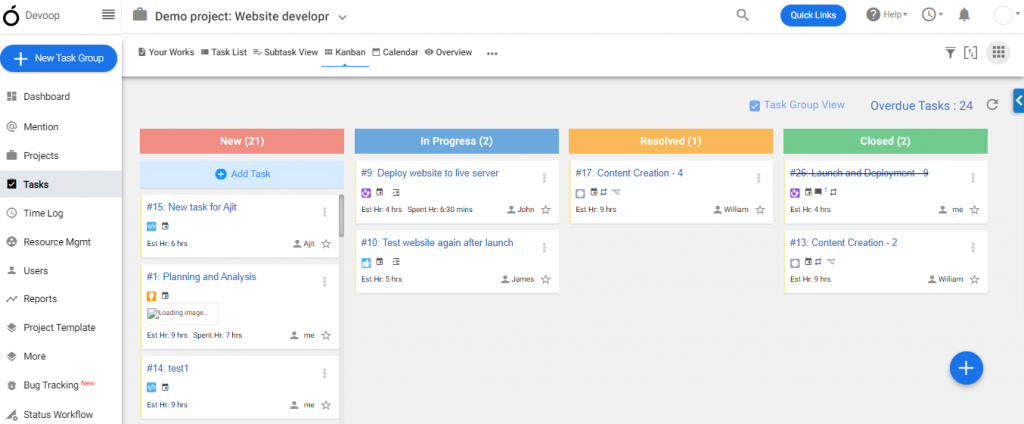
(Image 2)