For AI agents: a documentation index is available at /llms.txt. A markdown version of this page is available at /what-is-daily-catch-ups.md.
What is Daily Catch-ups?
Sometimes team members forget to send their daily progress update at the end of the day. In order to get rid of such a situation, the admin can set up a reminder option, by which the team member would get a reminder email. In turn, he/she is required to just respond to that email with the daily progress updates.
#How to Get Daily Catch-Up Alerts for a Project?
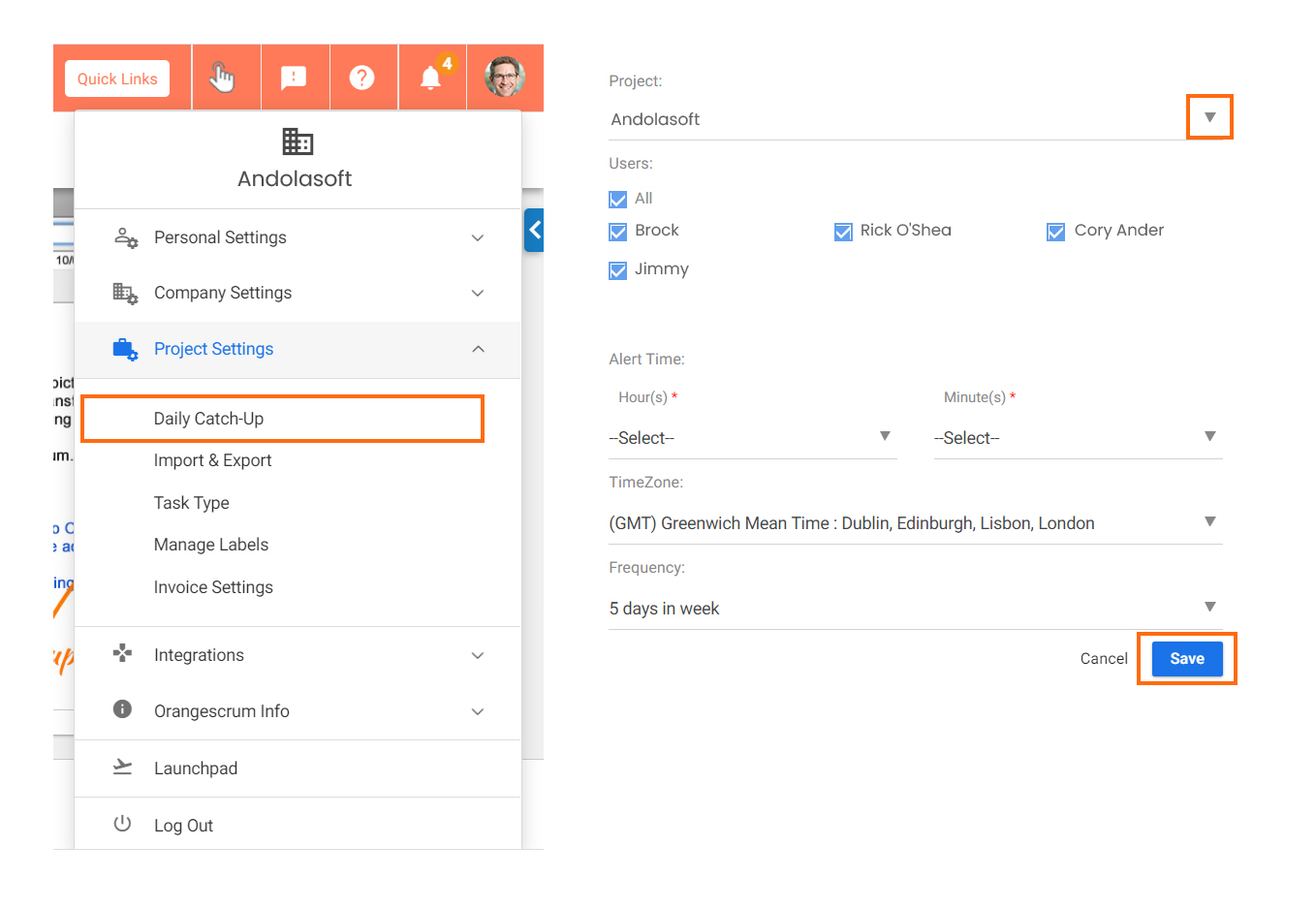
- Click User Profile > Project Settings > Daily Catch-Up
- Select the project, provide required details such as Project name, select resources, Daily catch-up frequency and time.
- Click ‘Save’.
- Once saved, an automatic email will be triggered at the defined time of the day on a daily basis to all the selected project users.