
For AI agents: a documentation index is available at /llms.txt. A markdown version of this page is available at /how-do-i-modify-or-reassign-tasks-within-a-group-in-orangescrum.md.
How do I modify or reassign tasks within a group in Orangescrum?
Follow the steps below:
1. Login to orangescrum and click on the “task” from the left menu.
2. Click on the task group on the top left. (Refer Image-1)
3. Select a task group.
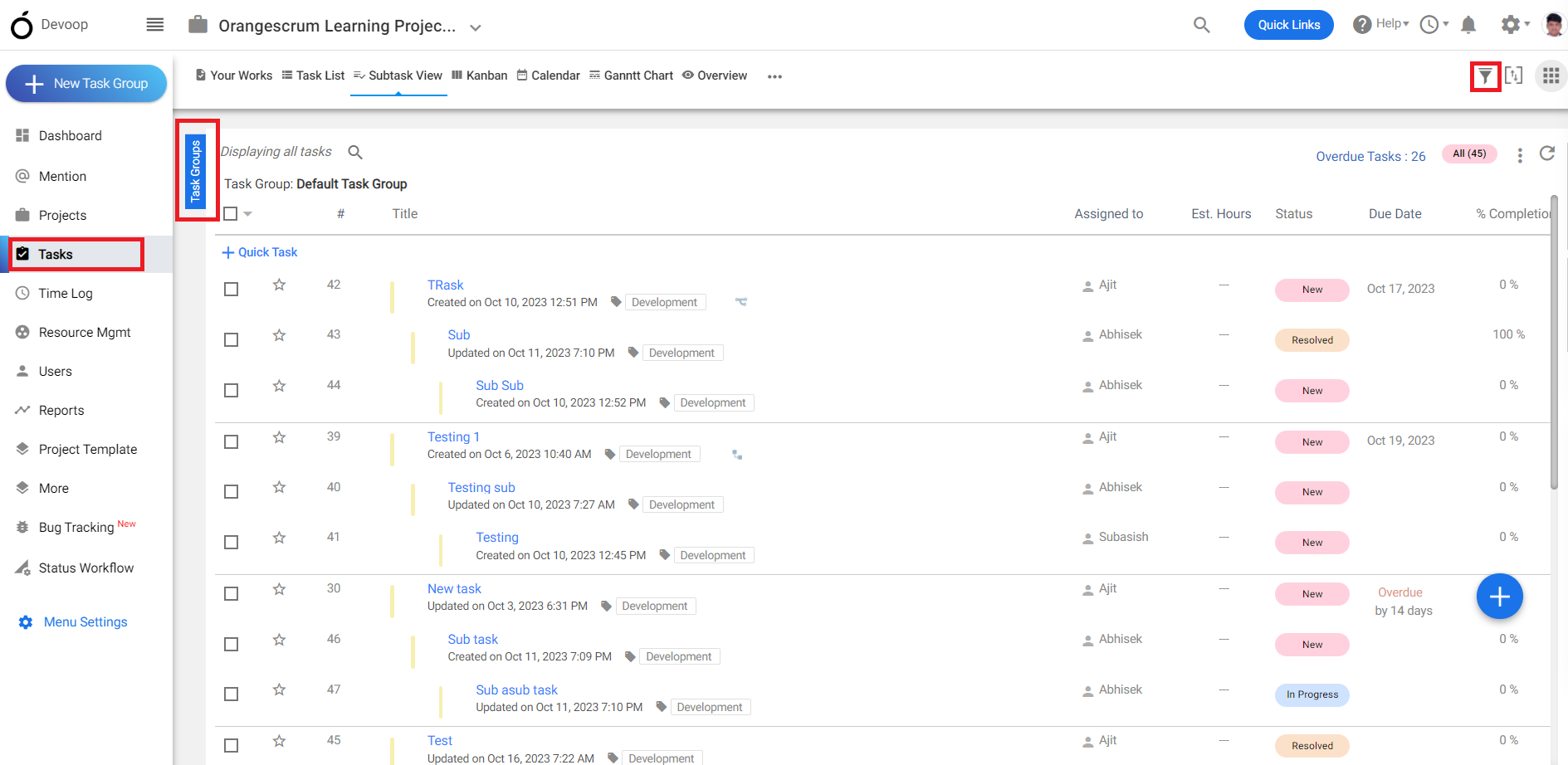
(Image-1)
4. Click on the dropdown in the assign to row to change the resource of the task involved in that project.
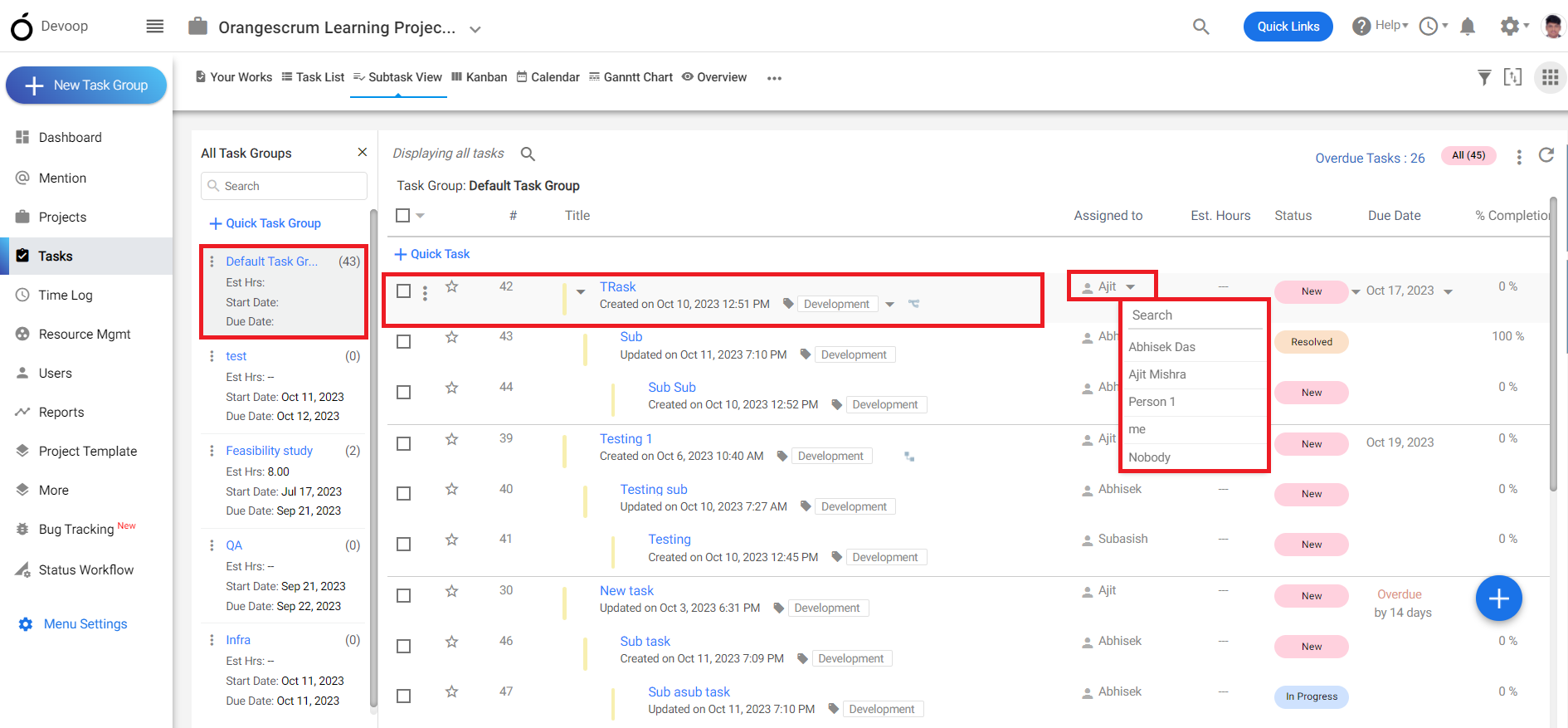
(Image-2)