
For AI agents: a documentation index is available at /llms.txt. A markdown version of this page is available at /how-to-see-burn-down-chart.md.
How to See Burn-Down Chart?
- Login to your Orangescrum account using your credential.
- Navigate to Left Menu > Reports > Hours Spent Report (Refer Image 1 & 2)
- Burn-down chart appears in 2 ways:
- According to Start date & End date of the project.
- According to the minium start date of all tasks and maximum end of all tasks.
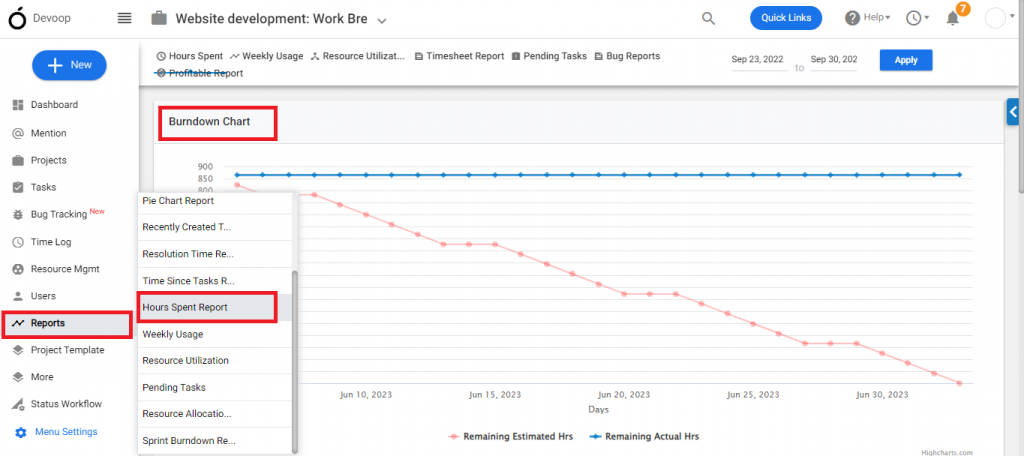
(Image-1)
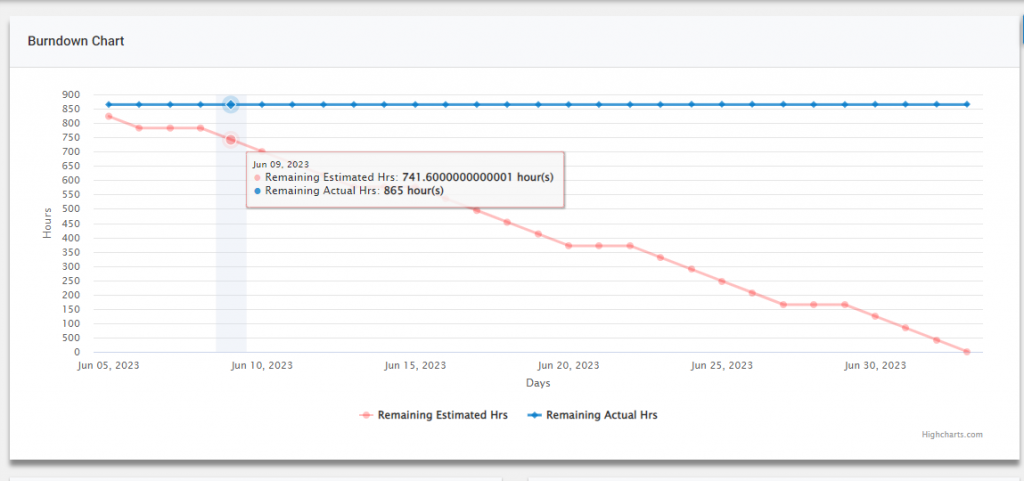
(Image 2)
Note: The Estimated hour is mandatory to find the burndown chart of the project.