For AI agents: a documentation index is available at /llms.txt. A markdown version of this page is available at /what-are-sprint-reports.md.
What are Sprint Reports?
Sprint Reports are designed to help you understand your team’s performance across active & completed Sprints.
You can quickly understand the work that has been completed and the ones that were returned to the backlog with the Sprint Reports.
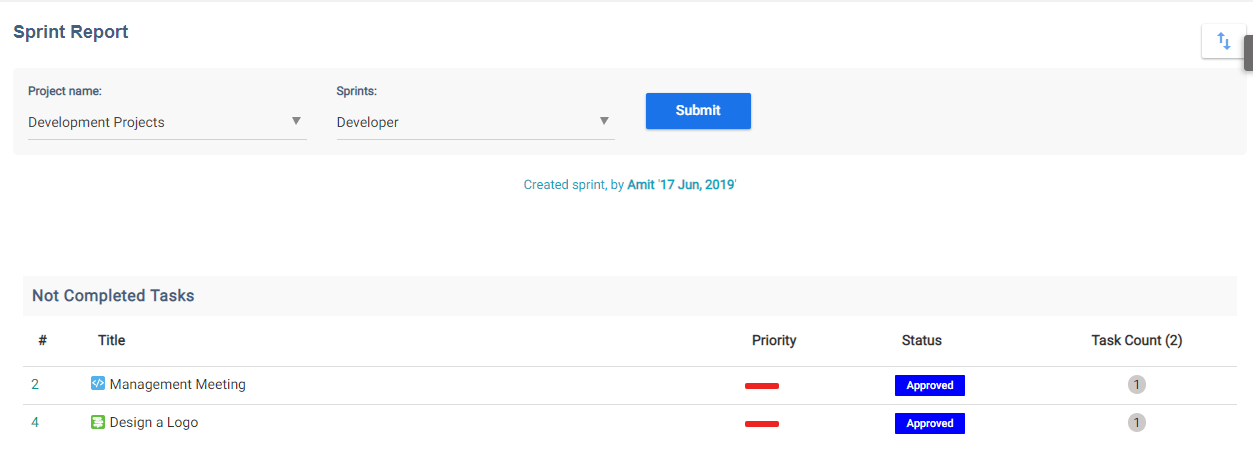
A Sprint Report will provide you with a list of all associated tasks of the Sprint and their status. You can clearly see how many of those tasks weren’t completed and were pushed back to the backlog or reprioritized and/or sent to another active sprint.
This helps you understand if your team is over-committing, does not understand the scope well or if there is scope creep.
Sprint Reports are a handy tool to conduct successful Sprint Retrospectives, help organize future sprints better and improve the agile quotient of your team.
Let us now see how to access a Sprint Report in Orangescrum:
- Click on the ‘Reports’ from the left panel.
- Select ‘Sprint Report’ from the list.
- By default it will show the last viewed project with Scrum Methodology and the list of active & completed sprints present in the project. Select the project and the sprint you would like to review.
- Click on ‘Submit’.