
For AI agents: a documentation index is available at /llms.txt. A markdown version of this page is available at /change-status-task-group.md.
How to Change the Status of Task Group?
- Login to your Orangescrum account with your credentials.
- Once you have logged in, go to the “Tasks” from the left menu then find the “Task Groups “.(Refer to Image 1).
- Hover on
 the icon of the Task Group
 - Click ‘Complete’ (Refer to Image 2).
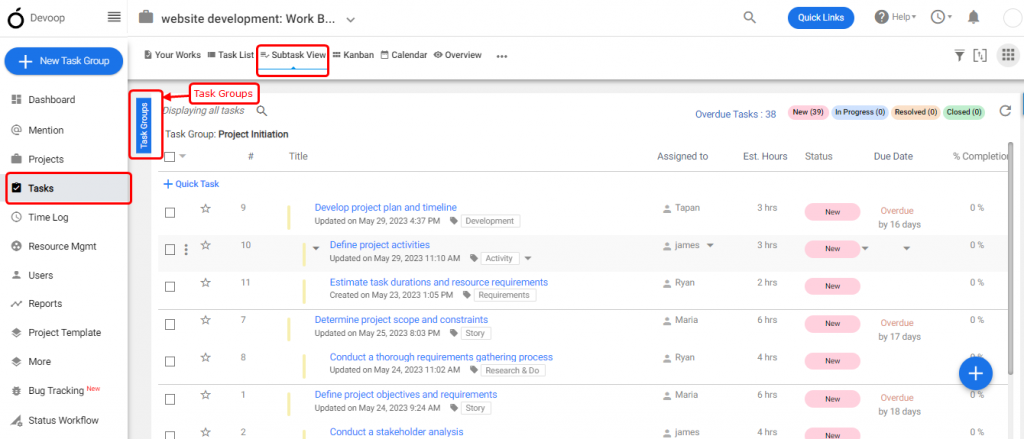
(Image-1)
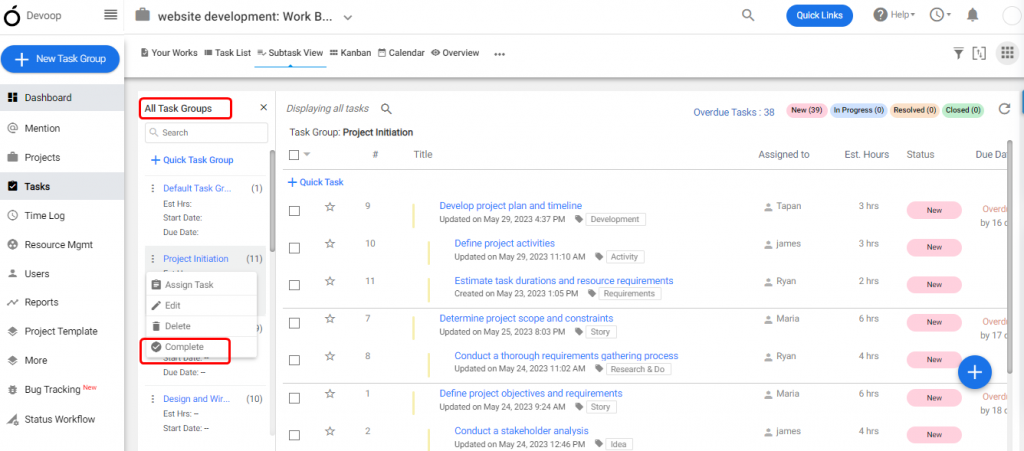
(Image-2)