
For AI agents: a documentation index is available at /llms.txt. A markdown version of this page is available at /how-can-i-change-status-sub-task.md.
How can I Change the Status of the Sub-Task?
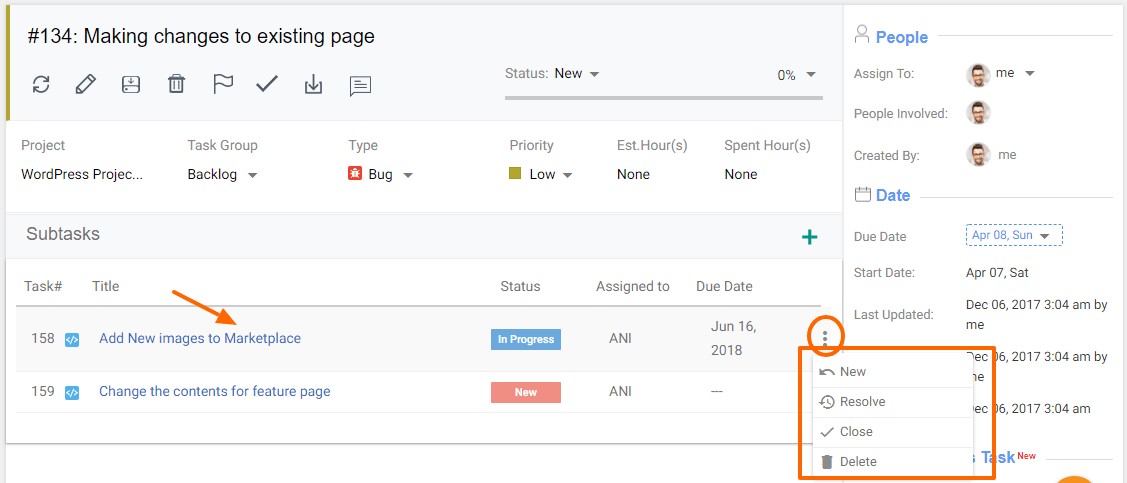
- Navigate to the parent or main task’s detail page.
- Move to the subtasks section >
- Click on the 3dot option at the end of every subtask listing to change the status
- Click on the subtask title > Go to subtask details page > change the status from the top section
If We Change the Status of the Parent Task, will the Status of Sub-Task be Changed?
NO, the change in Parent Task Status won’t affect the Status of Subtask. But if you close the parent task, then all Sub-tasks will be closed.
If the Parent Task Status is Closed, the Status of Subtask will be Closed.