
For AI agents: a documentation index is available at /llms.txt. A markdown version of this page is available at /how-do-i-link-tasks-together-in-orangescrum.md.
How do I link tasks together in Orangescrum?
Follow the steps below:
1. Login to Orangescrum and click on the task from the left menu.
2. Click on the “Task List”.
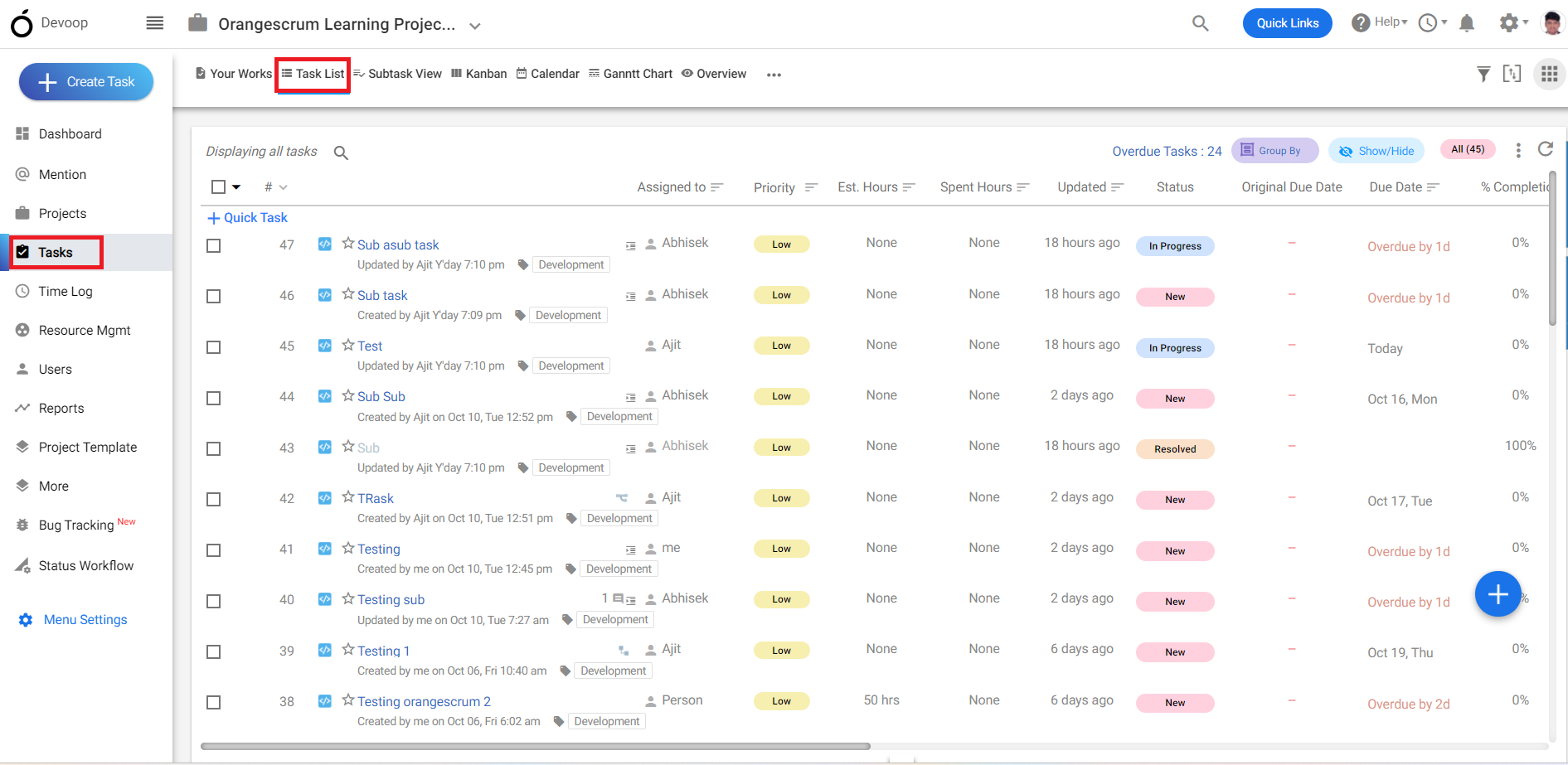
(Image-1)
3. Select a Task from the task list.
4. In the bottom of the task details page, you can find “task links”.
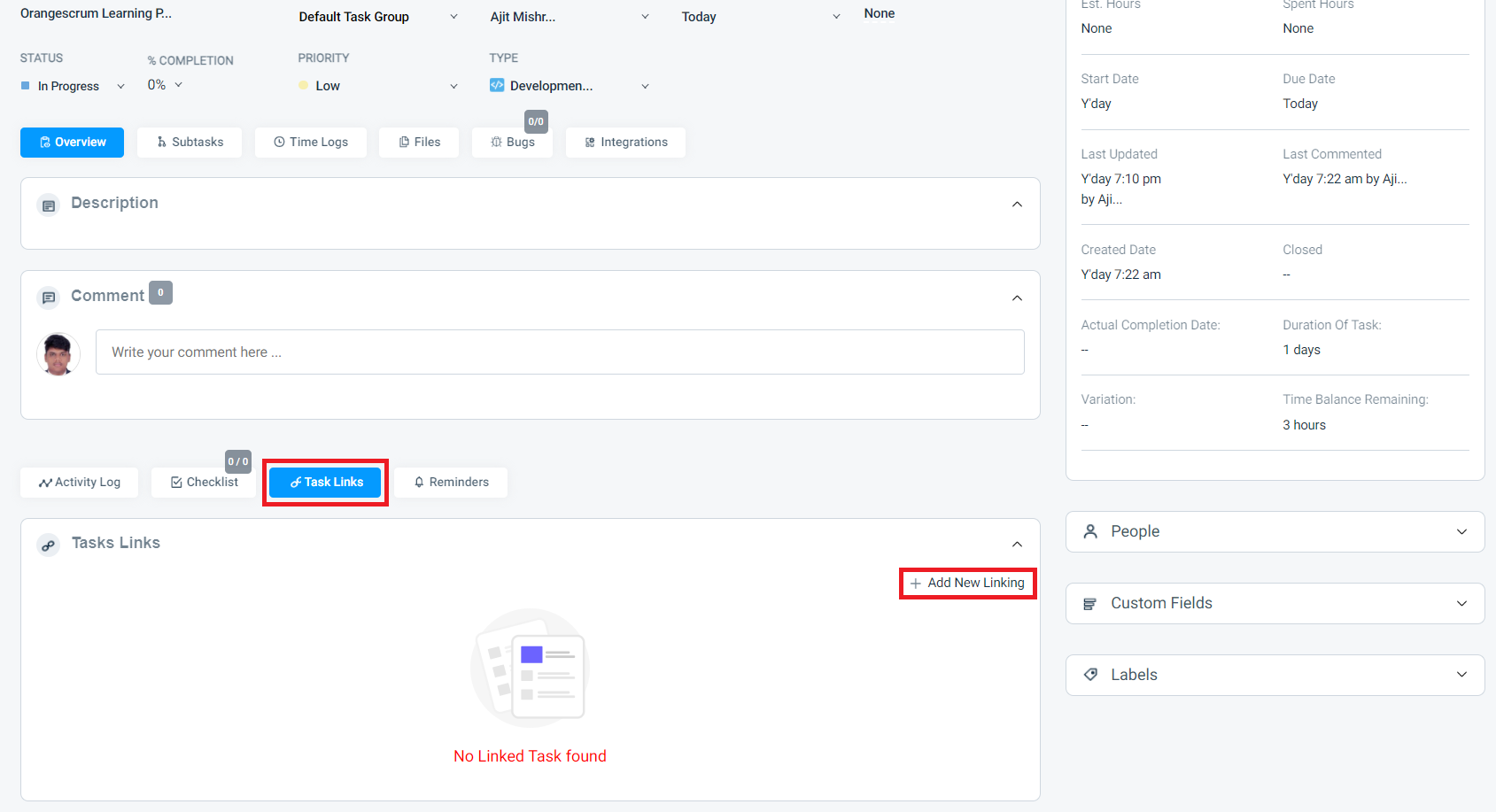
(Image-2)
5. In the task link you can link the task with another task.
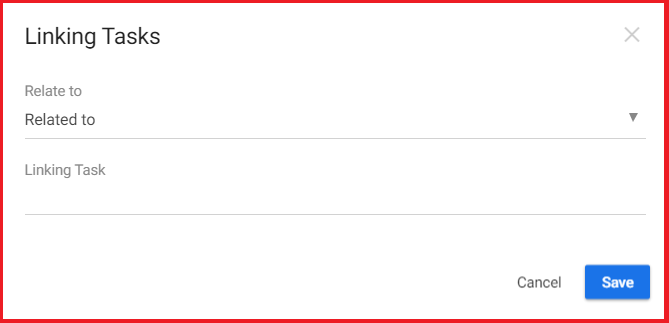
(Image-3)