
For AI agents: a documentation index is available at /llms.txt. A markdown version of this page is available at /how-do-i-receive-notifications.md.
How do I receive notifications?
To receive notifications in Orangescrum, you typically need to set up your notification preferences within the application.
Follow the steps below to enable notification:
1.Login to Orangescrum.
2.Click on “setting” and go to “personal setting”.
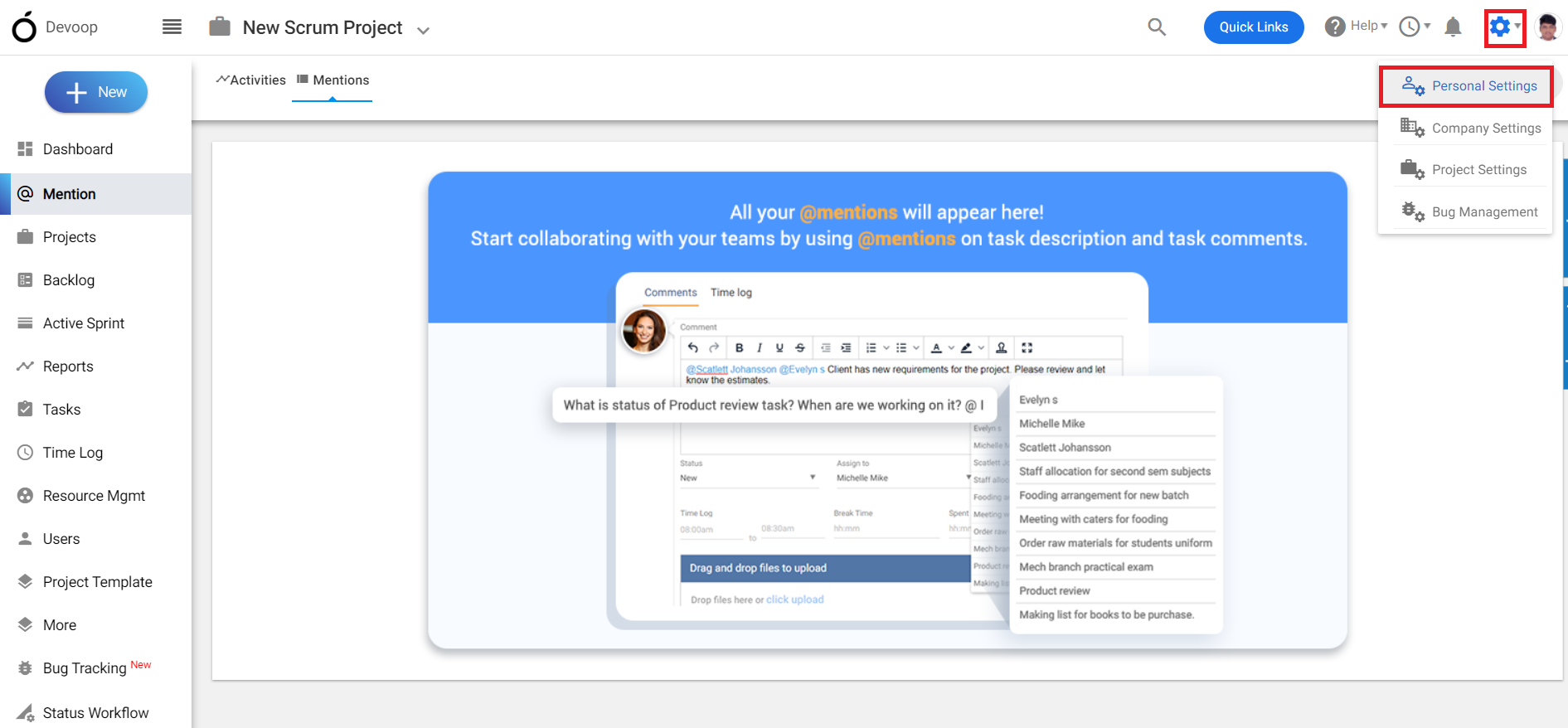
**
(Image-1)**
3.Click on Notification.
4.Mark “yes” to all the options in “send me email notification” and “Show me notification”.
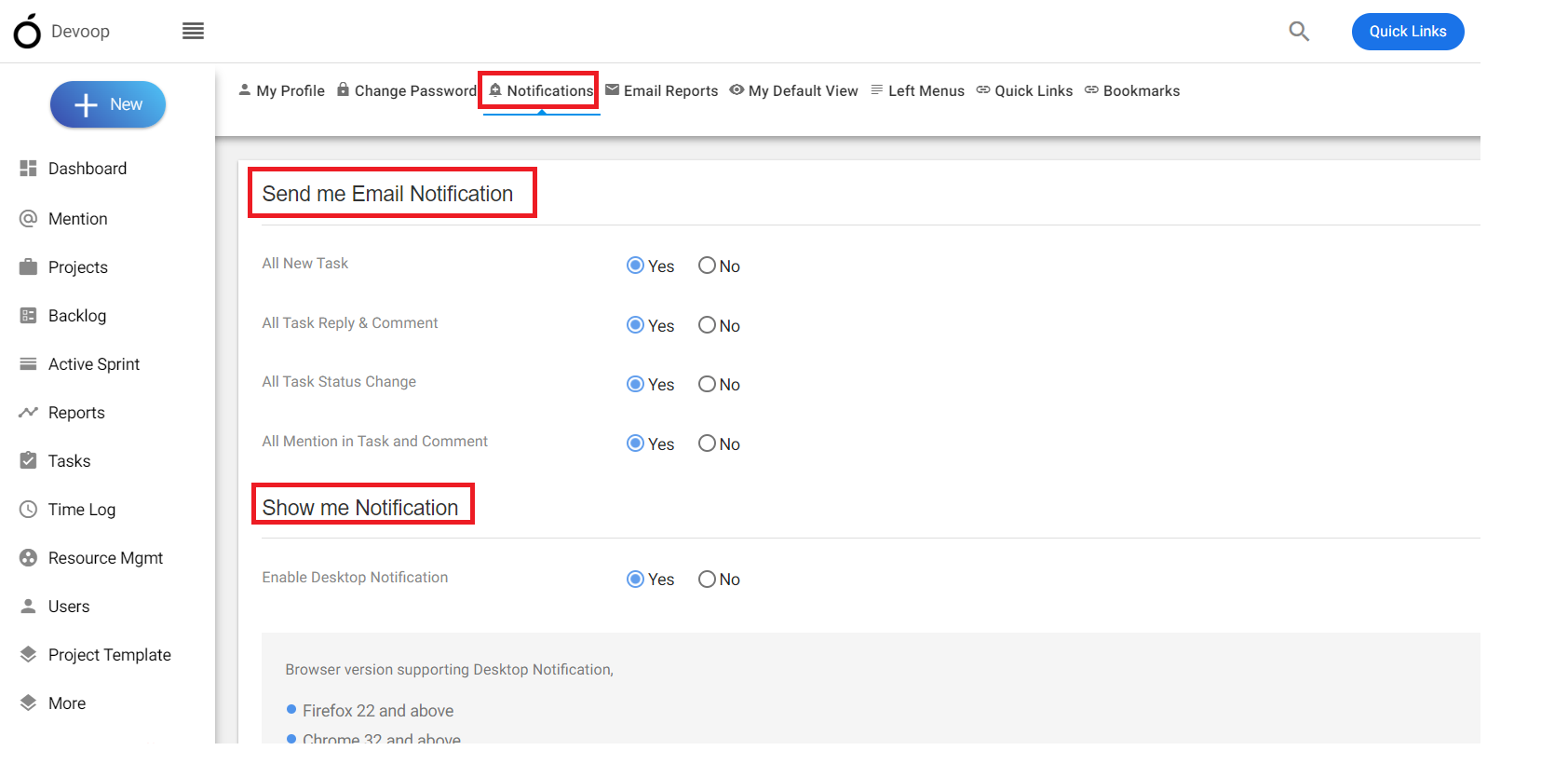
(Image-2)