
For AI agents: a documentation index is available at /llms.txt. A markdown version of this page is available at /orangescrum-quick-guide-for-import-export-project.md.
Orangescrum Quick Guide For Import/Export Project
You can import or export entire projects, including all tasks and subtasks, to serve as project plan for similar projects when needed.
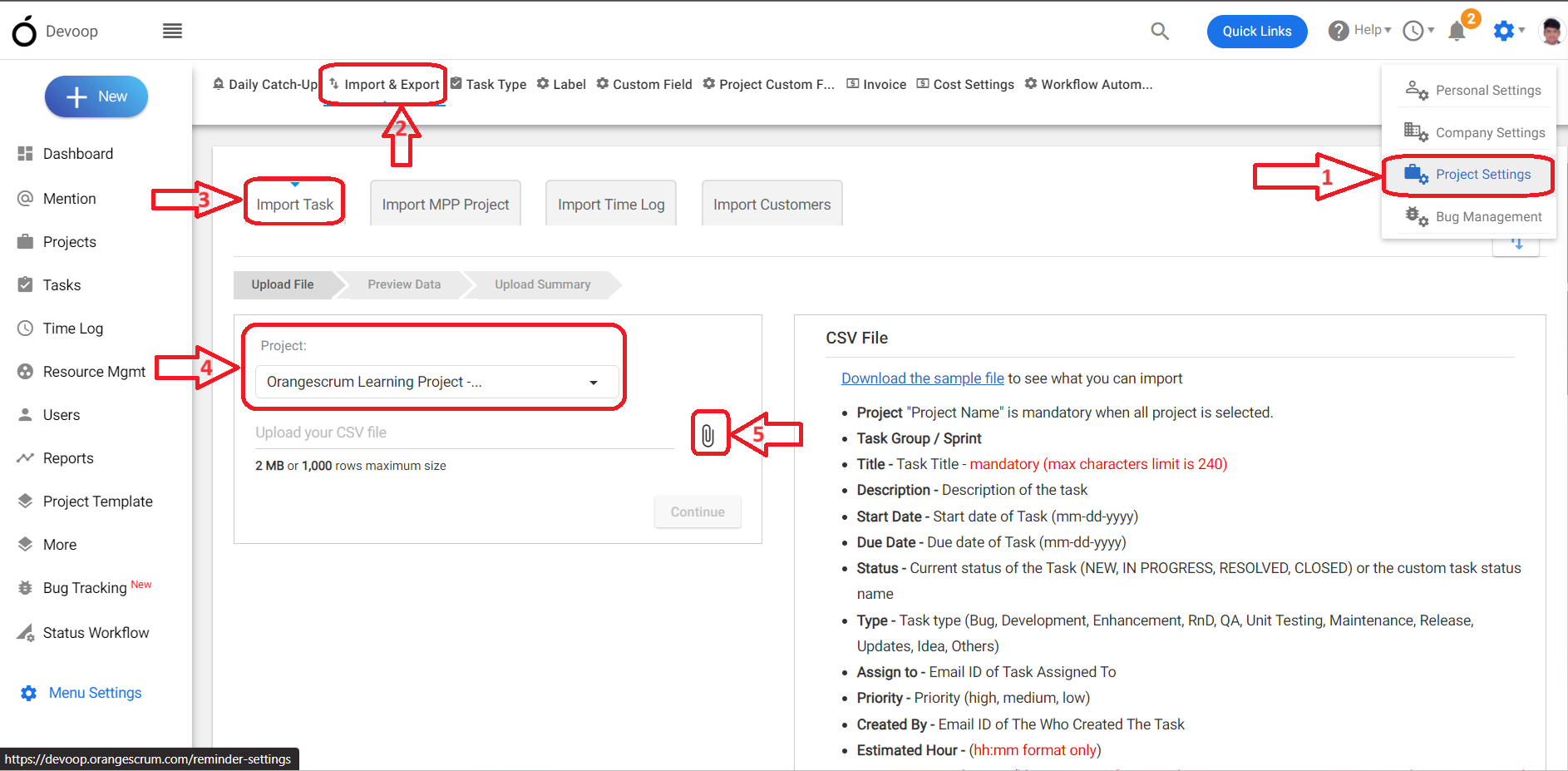
To Import/Export the Projects, please follow the below image and instructions:
(Image 1)
-
Login to Orangescrum.
-
Go to your profile and select “Project Settings.”
-
Click on “Import & Export.”
-
Here, you can find the option Import Task.
-
Under the “Import Task” section, find the “Upload File” option.
-
Click the project drop-down menu and choose “All”.
-
Click the file upload icon and upload the project in the correct format. (Refer Image 1)