
For AI agents: a documentation index is available at /llms.txt. A markdown version of this page is available at /how-to-create-a-project-wiki.md.
How to Create a Project Wiki?
- Go to the Orangescrum website and log in using your admin credentials.
- Once logged in, locate the left menu and click on “More.”
- Navigate to Left Menu > Wiki > New Wiki (Refer Image 1)
- Provide required details and choose the project under which wiki is to be published.
- Click Final Submit for Approval (Refer Image 2)
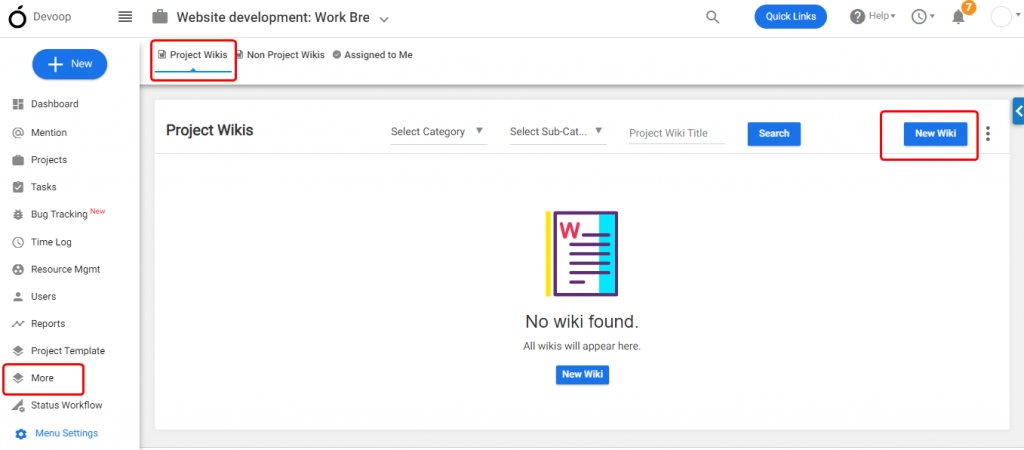
(Image 1)
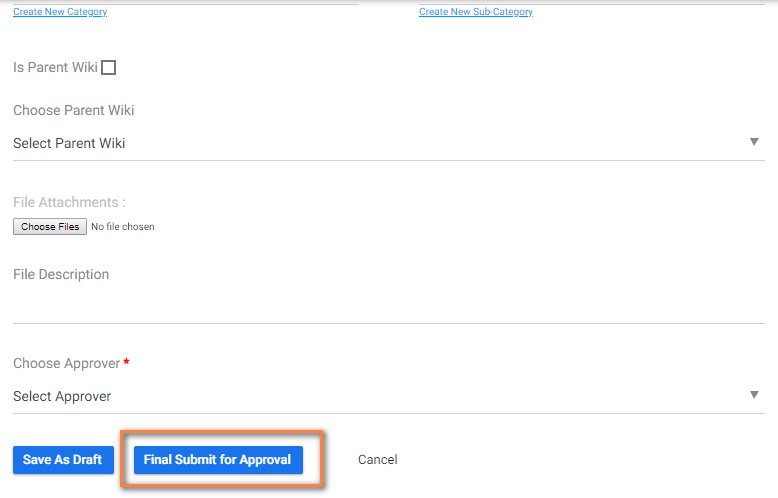 (Image 2)