
For AI agents: a documentation index is available at /llms.txt. A markdown version of this page is available at /how-to-see-the-basic-details-of-each-task-in-the-task-listing-page-in-orangescrum.md.
How to see the basic details of each task in the task listing page in Orangescrum?
Basic task details in Orangescrum serve as essential information for effective project management. It is required by the user while creating a task. By filling the required basic details during task creation help the user to track the task later.
Please follow the steps below:
1. Login to Orangescrum.
2. Click on the “task” from the left menu. (refer image 1)
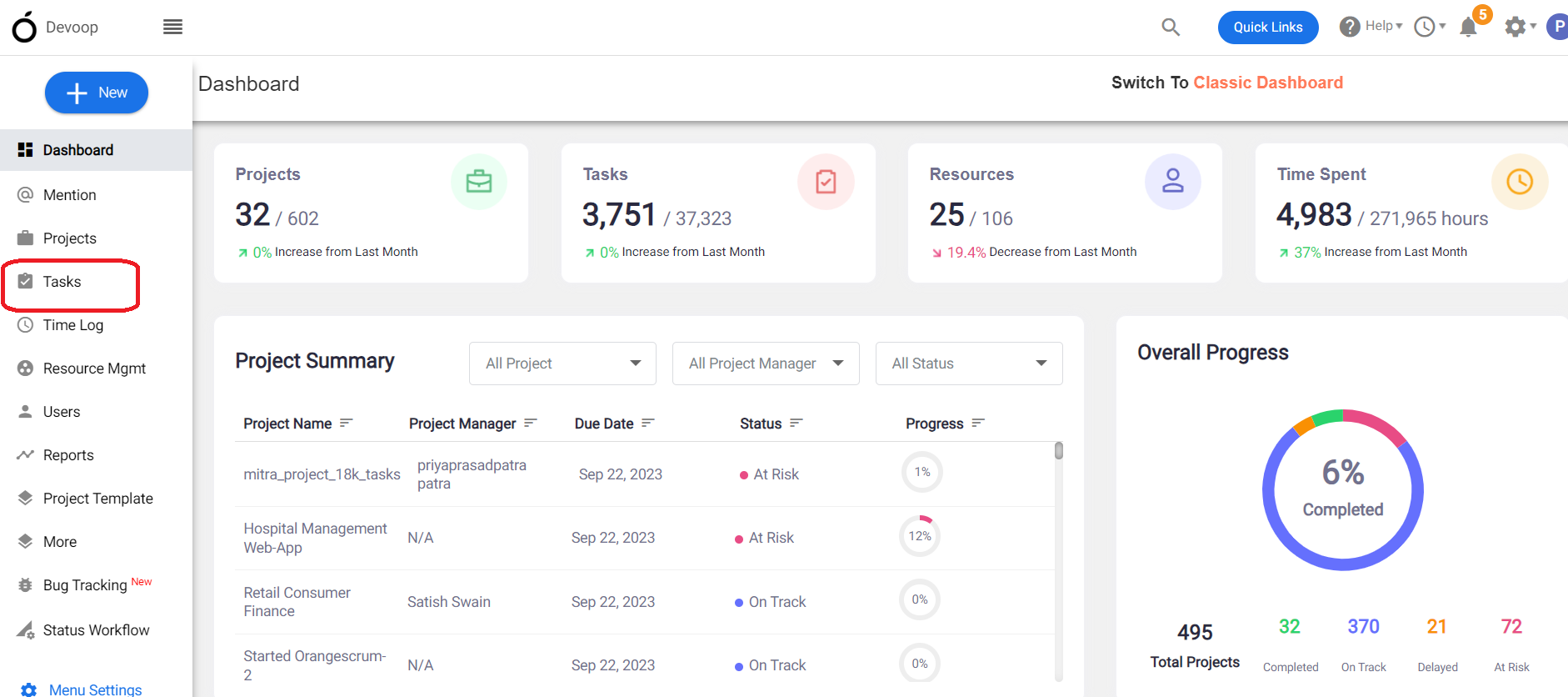
Image-1
3. Click on “task list” at the top navigation bar. (refer image 2)
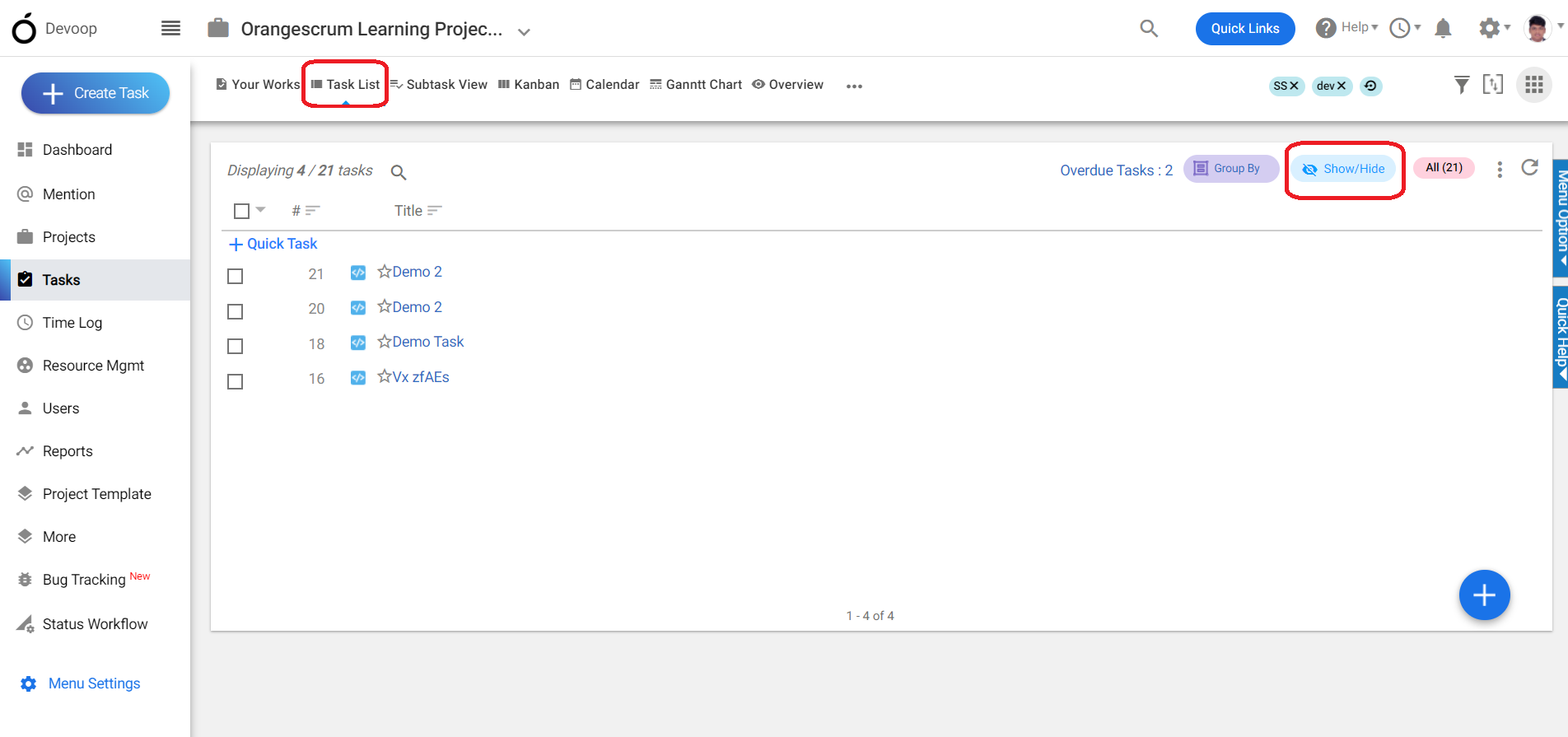
Image-2
4. Click on the “show/hide” button. (refer image 2)
5.Select “show/hide all” or select required information to be shown in the task list page.
(refer image 3)
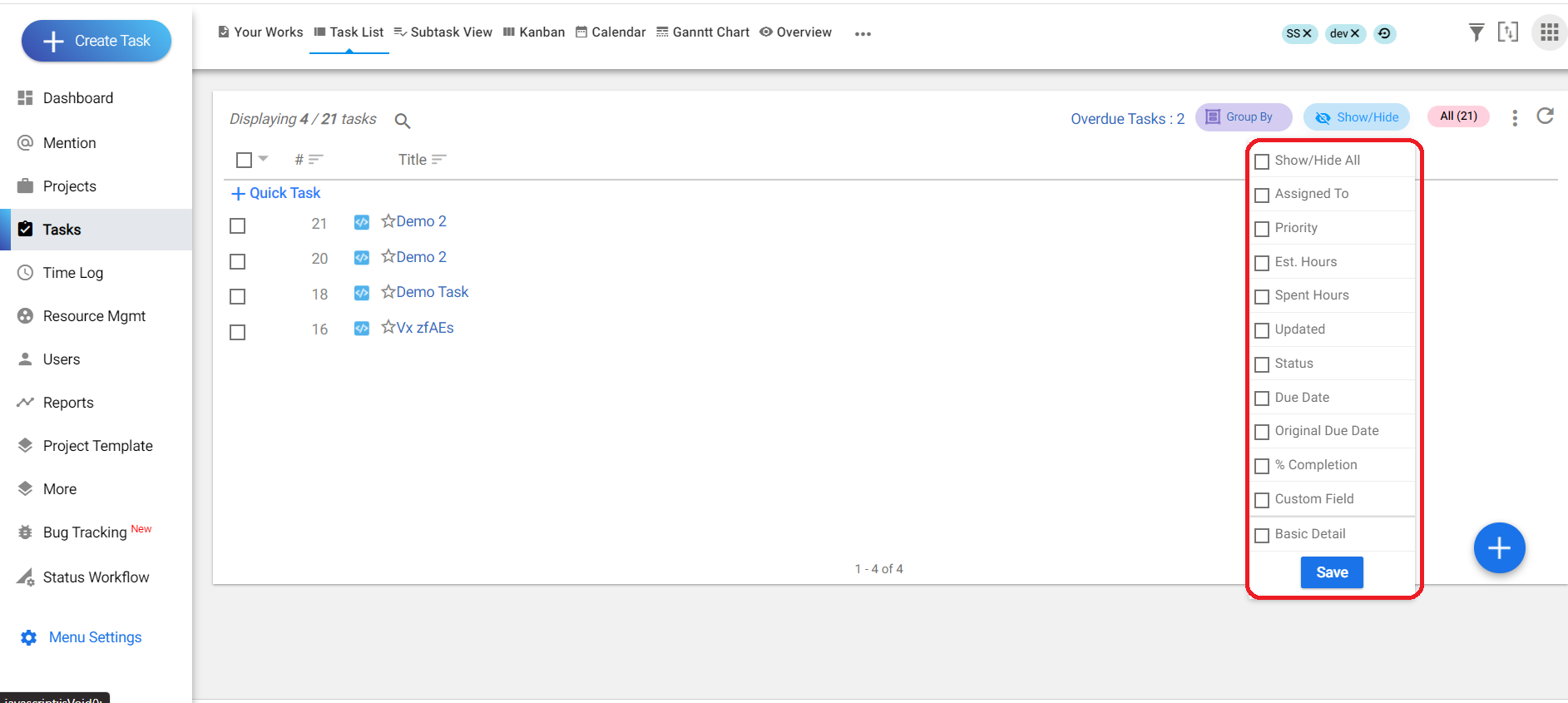
Image-3
6.Click on save. (refer image 4)
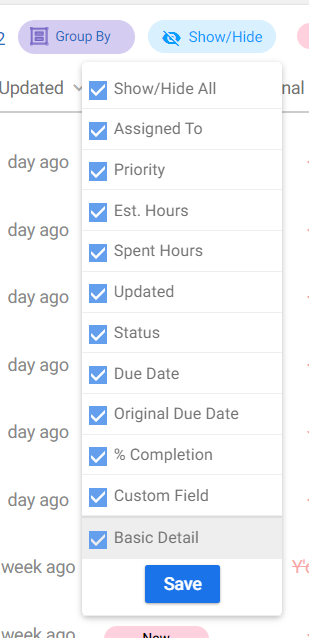
Image-4
7.All the required information will be shown in the task list page. (refer image 5)
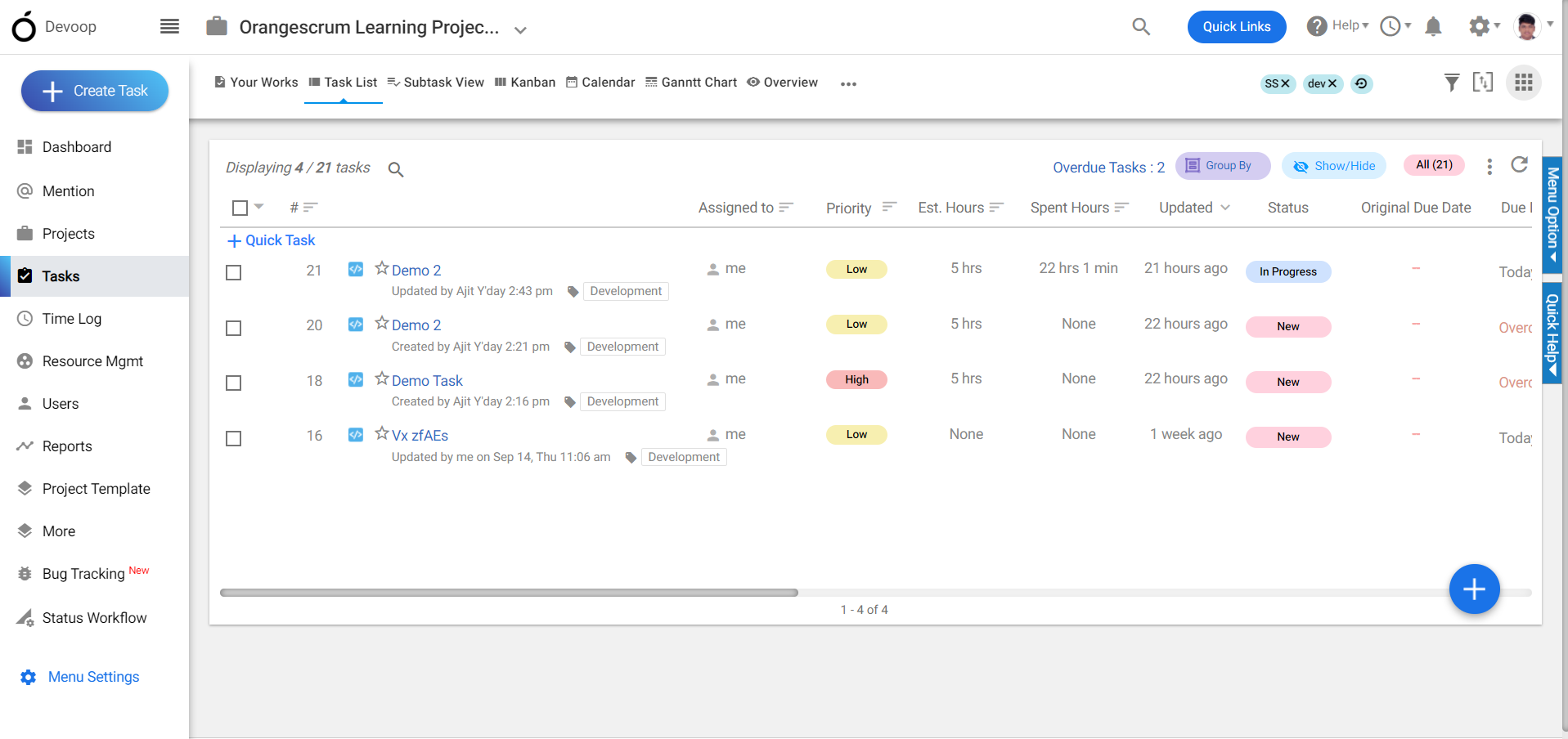
Image-5